


How can I protect my flipbook with a password?
If you wish to protect your content against unauthorized access, Publuu gives you a chance to set a password to your flipbook in a fast and easy way. If you do so, your flipbook will open only after typing the correct password.
🎥 Prefer watching instead of reading? Check out the video tutorial:
If you wish to set up a password to your flipbook, follow these simple steps below.
After signing in to your Publuu account, click the CUSTOMIZE button in the control panel.
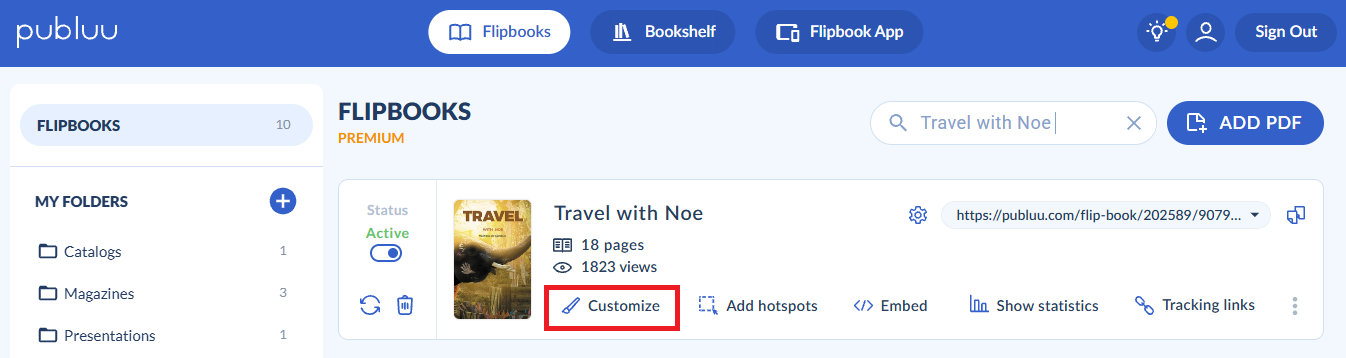
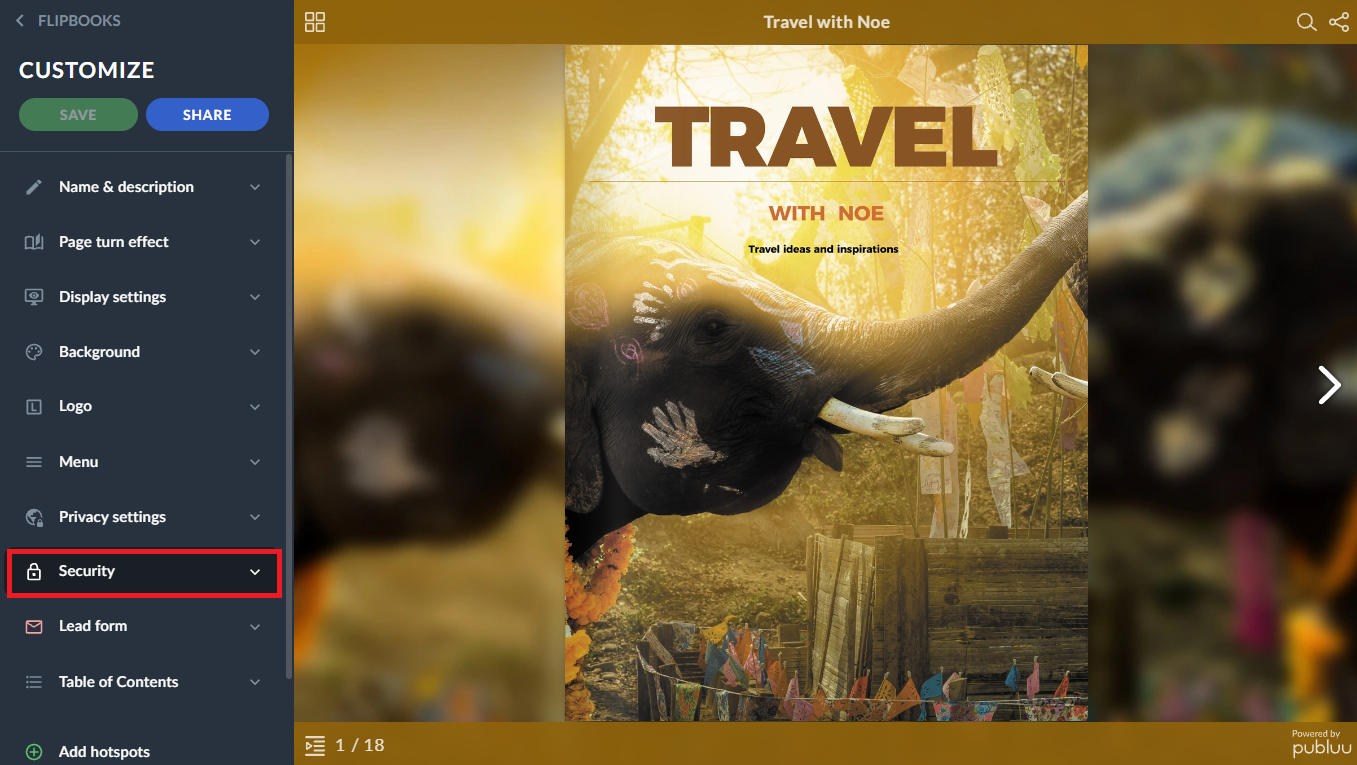
On the left side of the viewer, you’ll see multiple customization options. Head over to the SECURITY tab and click it to open.
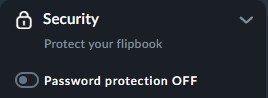
As you can see, the password protection is off by default.
Now all you need to do is to shift the switch to enable Password Protection (it turns blue when gets active) and then type the suitable password in the input below.
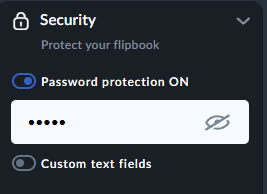
TIP: Set a strong, at least 6-characters-password, containing numbers and/or capital letters to make it hard to break.
Once you have entered your password, you will also see the Custom text fields switch below. You can enable it by sliding it to the right until it turns blue.
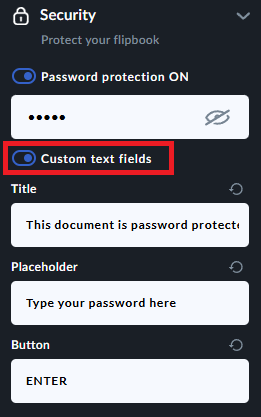
Once toggled, there are three editable fields such as :
Title – the message displayed above the password field
Placeholder – the text shown inside the password input box
Button – the label displayed on the action button
You can customize each field according to your needs by typing directly into the boxes.
Click the SAVE button in the left-hand corner to save all the information you have put.

After enabling password protection, you can notice that the preview of your flipbook has changed. If you can see it like this:
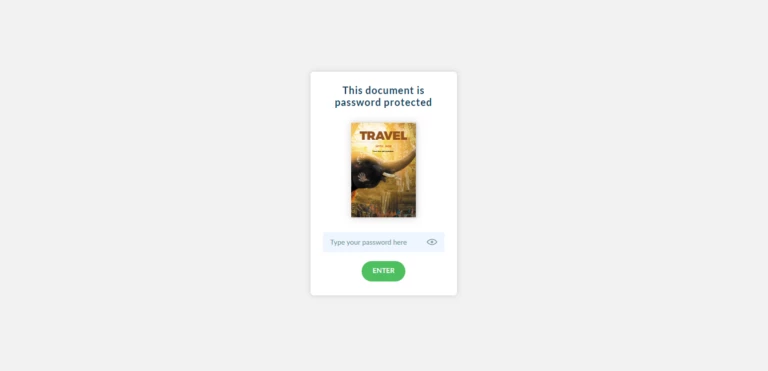
It means your flipbook is password protected and safe. Now when you send a direct link to your protected flipbook, remember to share the password as well!
Don’t want your flipbook to be private anymore? You can disable the password protection anytime you want, just go to the SECURITY tab and shift the switch to turn off this function.
As you can see, with Publuu you don’t have to worry about your content since our platform allows you to protect your flipbooks using various methods. Go to these articles to learn more about each of them:
How to Disable Downloading and Printing?
How to Disable Sharing?
