How to Create a Flipbook Animation: A Step-by-Step Guide
I'd bet my bottom dollar that you read digital publications more often than traditional ones. Online publications are gaining popularity among audiences worldwide. Digital creation platforms like Canva and Publuu let you turn your ideas into captivating HTML5 flipbooks that help others while generating revenue for your business.
Whether you're an experienced writer or a newcomer, Canva's intuitive interface makes it the perfect tool to begin your adventure in digital publishing. And thanks to the versatility of Publuu, you can transform a PDF file created in Canva into an interactive flipbook to engage your readers more.

In this guide, you'll learn how to create a professional digital publication using Canva and Publuu.
Keep in Mind
- A flipbook is a digital publication that creates the illusion of reading a printed edition by adding realistic animations.
- You can create PDFs in Canva and then convert them into flipbooks in Publuu.
- With Publuu, you can add interactive elements to your flipbook to boost reader engagement.
What Is a Flipbook Animation?
A flipbook is an interactive digital publication that looks and feels like a real book. This is possible thanks to an animation that mimics the effect of turning pages. You can easily share a flipbook via a link or embed it directly on your website.
How Does Flipbook Animation Work?
Flipbook animation works by displaying individual pages in sequence while adding smooth transition effects that simulate natural paper page movement. When a user clicks, swipes, or drags a page corner, the software dynamically renders the animation to create a realistic reading experience.
What You Need to Create a Flipbook Animation
To make a flipping book animation, you don't need advanced design or programming skills. However, there are a few essential elements that can make the process much smoother and the result more professional. The most important thing is to prepare clear and visually consistent content that will work well in a page-by-page format.
Before creating the animation, think about the user experience. People want quick loading, intuitive navigation, and a readable design that looks good on both desktop and mobile devices. Many creators use Canva to prepare presentation-style layouts, promotional catalogs, ebooks, or marketing materials before converting them into an interactive flipbook in Publuu.
How to Create a Flipbook in Canva Step by Step
How to create a digital flipbook? With Canva, you can create a basic flipbook for free. Check out our step-by-step guide.
🎥 Prefer the video version? Watch our quick step-by-step tutorial below:
1. Choose Your Template
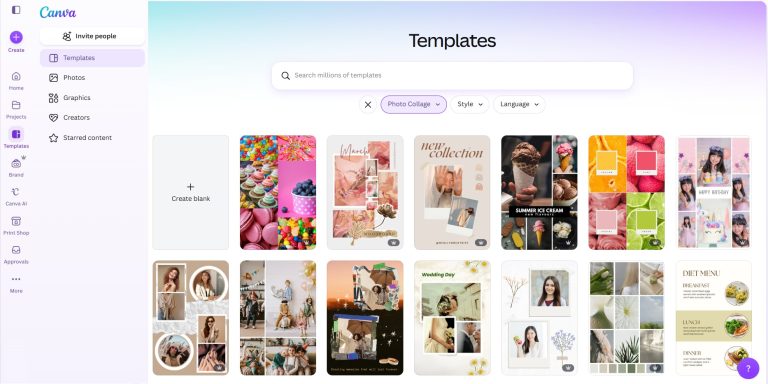
With Canva's massive library of project templates, you can create an engaging flipbook for any target audience. From magazines to brochures and presentations, Canva offers a wide range of templates that can be simply transformed into an attention-grabbing flipbook for your readers.
Whether you're looking for a classic and elegant design or a modern style, Canva's extensive collection will match your vision of creating an outstanding flipbook.
2. Customize Your Design
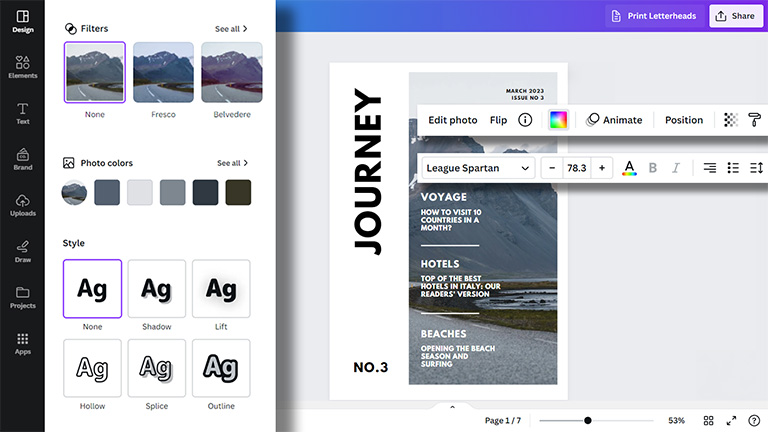
Once you've chosen a project, you can customize it to suit your needs. Canva's intuitive interface allows you to place text, images, and other elements and edit them. Use templates to design a brochure with a consistent look that will leave a lasting impression on your readers.
3. Keep Consistency
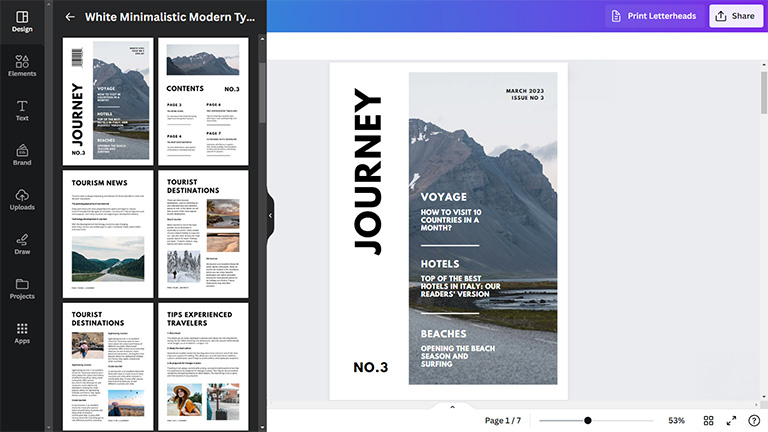
Canva knows how to create a digital flipbook with consistent approach to ensure a smooth and natural flow from one page to the next. Consistent alignment, typography, and color schemes will guide readers smoothly through the content. An aesthetic flipbook is always more engaging.
4. Download or Export Your Design
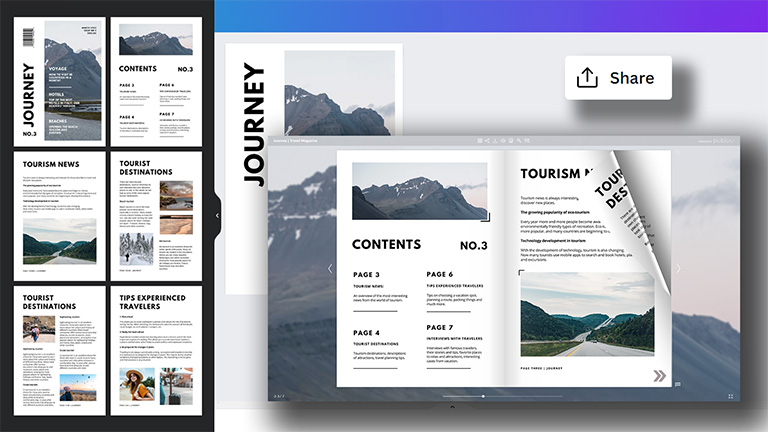
Your project is ready. How to create a flipbook animation now? Arrange the pages in the correct order and remember to share your design in a PDF format. If necessary, you can edit a PDF by adding text to ensure your content is up to date.
Now, you can download your project or upload the file directly to the Publuu platform. Select "Share", then go to the "More" option and choose Publuu Flipbook from the list.
5. Convert a PDF to a Flipbook
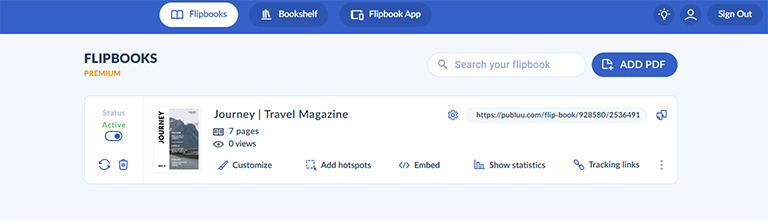
Now you'll discover how to create a flipbook from a PDF with Publuu. This is a versatile tool that transforms your prepared PDF files into interactive online publications with a real page-flip effect. You can customize them, disable and enable options, track them in real-time, and much more. How to create a flipbook animation?
If you have imported a PDF from Canva, it should appear on your dashboard. If not, you can upload it.
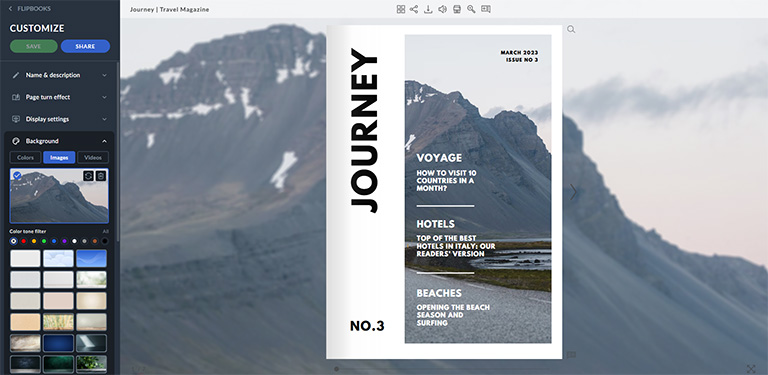
While uploading this file, you can start configuring it by entering "Customize". Add a name and description to your publication. Then, choose a background, logo, or music to give a positive experience for your readers.
Once your configuration is complete, you can continue to work on your flipbook by adding interactive content such as galleries, videos, links, and more. An innovative hotspot feature in Publuu allows you to add functions that regular PDFs created in Canva don't have.
Thanks to Publuu's features, your static PDF can be transformed into an engaging flipbook, ready to captivate your audience with a dynamic and interactive presentation.
It's time to share your flipbook with the world. Publuu provides a seamless publishing platform that allows you to share your flipbook online with a single click.
You can generate a unique sharing link and distribute it across your website, social media channels, and email campaigns, reaching a wide audience and making a lasting impact.
Check out an example of Publuu's online flipbook:
Publuu's online flipbook example
MAKE YOUR OWN
Common Flipbook Animation Mistakes to Avoid
Flipbook animations can make digital publications more engaging and interactive, but poorly designed flipbooks may frustrate users instead of improving their experience. Check out how to create a flipbook animation by avoiding common mistakes to ensure that your document is easy to navigate, and accessible across devices.
Using Large Files That Load Too Slowly
One of the most common issues is uploading oversized PDFs or high-resolution assets without optimization. Slow-loading flipbooks can increase bounce rates and discourage users from exploring the content further, especially if they try to open it on mobile devices or using slower internet.
Adding Too Many Visual Effects
Animation techniques should improve the reading experience. Excessive transitions, autoplay effects, sound effects, or unnecessary motion can make the flipbook feel overwhelming and less professional.
Ignoring Mobile Responsiveness

Mobile usability is essential, because many users open flipbooks on smartphones and tablets. If the publication is hard to navigate, zoom, or read on smaller screens, users won't engage with the content.
Forgetting Interactive Elements
Many creators treat flipbooks like static PDFs and miss opportunities to improve engagement. Add clickable links, buttons, or product tags to make the publication more dynamic and useful for readers.
Not Testing the Flipbook Before Sharing
A flipbook may work perfectly on your device but crash on another browser. Test the publication before publishing to identify broken links, loading issues, display errors, or navigation problems.
Using Hard-to-Read Text and Layouts
A visually attractive flipbook still needs to remain readable. If you're wondering how to create a flipbook in Canva, avoid small fonts, cluttered layouts, or complex page designs. These can make the PDF hard to follow and unaccessible.
Your First Flipbook Animation with Publuu
Now you know how to create a flipbook from a PDF using Canva and Publuu. These both tools are great for creating a professional ebook available online. They are easy to use and offer a wide range of features. Thanks to integration, you can create flipbook pages in Canva and then directly upload them to Publuu to convert them.
If you have further ideas for spicing up your flipbook with extra pictures or animated objects, you don't need to go back to Canva. You can add multimedia elements to your flipbook right in Publuu and send it to your audience immediately.
Try Publuu for free and enjoy the easiest way to create animated flipbooks!
You may be also interested in:
How to send large files via email?
The best flipbook animation software
The impact of using flipbooks