An interactive portfolio guide with examples and tips
Let’s be honest – when you’re going after that dream job, just listing your skills on a resume isn’t going to cut it anymore. To really catch the eye of employers, clients, or colleagues, you need a portfolio that showcases your best work – and grabs their attention from the very first email. This is where the power of a digital portfolio comes in.
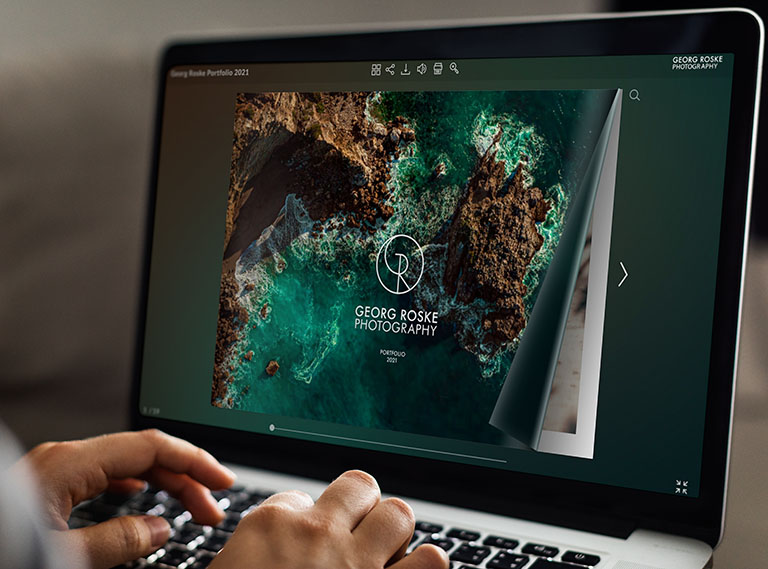
In this guide, we’ll break down what an interactive portfolio is, explore the best formats and tools to create one, walk you through the process step by step, and share some inspiring examples from different industries. Plus, we’ll include key design tips and answer common questions.
What is an interactive portfolio?
A portfolio is basically a collection of your best work – your most impressive and interesting projects. An interactive portfolio takes things a step further by letting people actually engage with your content instead of just scrolling through images or reading plain text.
With an interactive portfolio, viewers can:
- Click through complex projects
- Explore case studies
- Understand different stages of a project
- Check out detailed components
- See your achievements in action
Most common interactive portfolio formats
There are many ways to create an interactive portfolio, but the following are the most popular:
- Online flipbook – More than just a PDF, Publuu flipbooks are a super flexible format for presenting data, pictures, and other content. They combine the ease of use and multimedia of an eBook with the feel of a real book – just like the art portfolio below:
Publuu’s online portfolio example
- Personal website or blog – This is one of the most customizable options. You can design it however you want, add videos, timelines, animations, contact forms, and organize it your way.
- Creative platforms (Behance, Dribbble, ArtStation) – These let you upload projects with more than just images – think videos, detailed descriptions, and links to other interactive work. You don’t have full control, but they’re great for networking and showcasing creative projects.
- Online videos – Your portfolio could even be a YouTube video! Videos are easy to share, can be paused and watched on any device, and offer a dynamic way to present yourself and your work.
Best interactive portfolio tools (and websites)
Choosing the right tool really comes down to your budget, tech skills, and how much customization you want. Here are some solid options to consider:
| User-friendly platforms | Advanced platforms | For specific creative projects |
|
|
|
Publuu (Recommended)
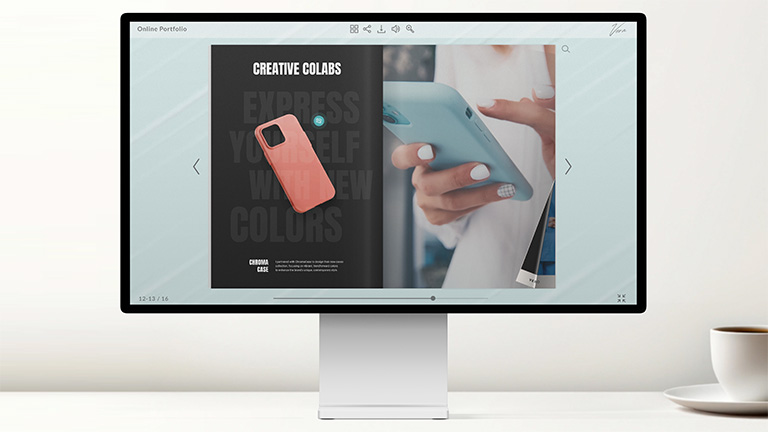
Publuu lets you transform a basic PDF file into a cool, flipbook-style portfolio. It’s a unique way to present your work alongside your resume. You can easily add interactive hotspots, animations, and links to external sites to really showcase what you can do. It’s great for attaching samples to your resume with some extra flair.
Squarespace
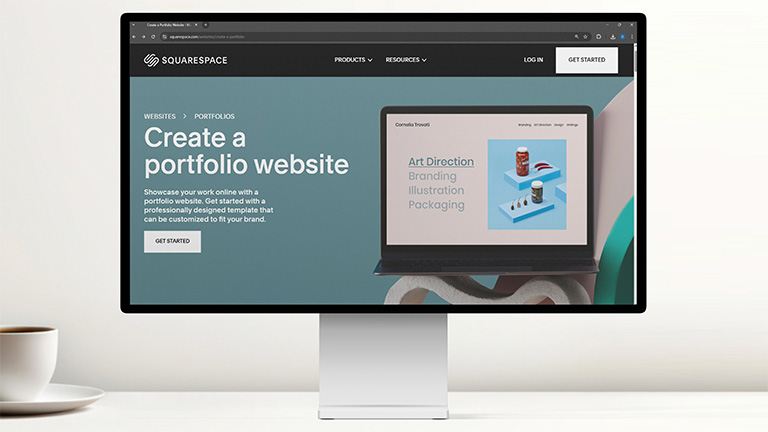
Squarespace is known for its gorgeous templates and intuitive drag-and-drop editor. Perfect for creating sleek, professional sites with built-in galleries, embedded videos, and smooth animations.
Wix
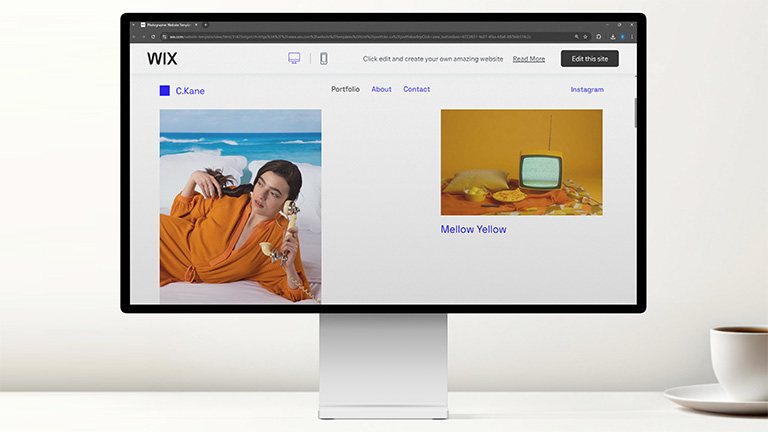
Wix offers tons of templates and a super flexible editor. You can easily add engaging elements like parallax scrolling, hover effects, pop-ups, and video backgrounds.
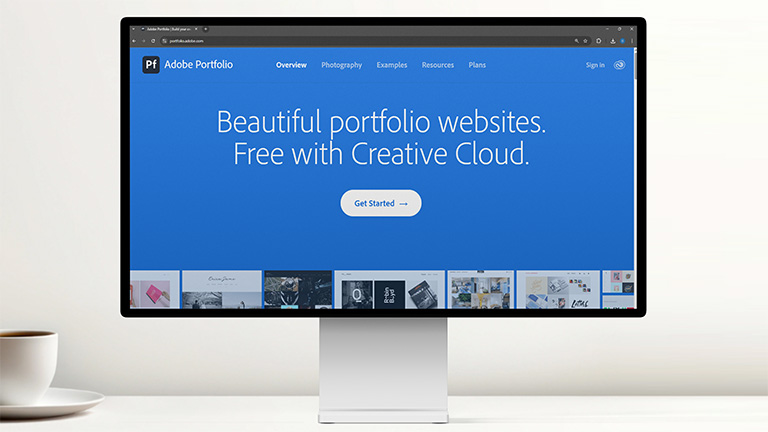
Adobe Portfolio
If you already have an Adobe Creative Cloud subscription, this is included in the price! It’s designed specifically for creatives, syncs directly with your work on Behance, and offers clean, modern layouts perfect for visual portfolios.
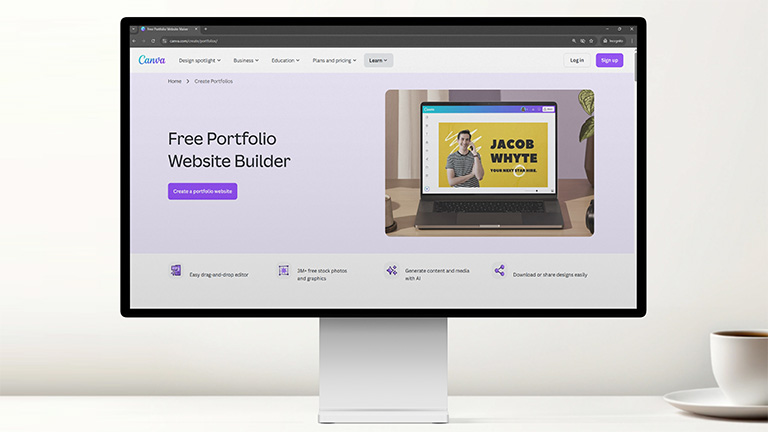
Canva
It’s mainly a design tool, but Canva now lets you build websites too! You can create landing pages or simple portfolios with animated elements and embedded media. You can even make flipbooks and upload them to the Publuu cloud.
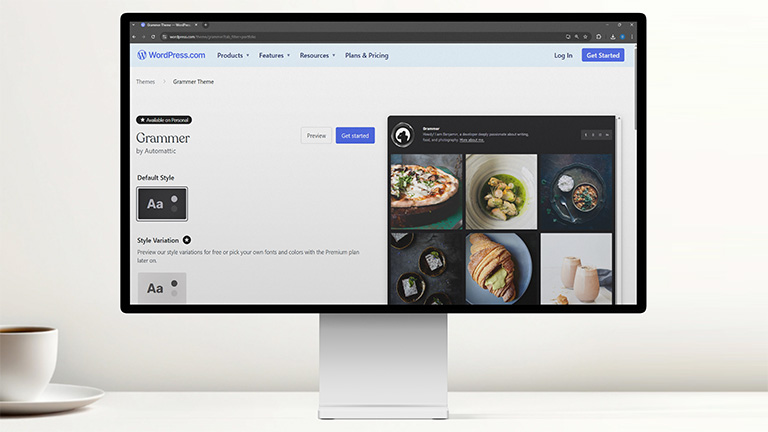
WordPress with page builders
Pair WordPress with plugins like Elementor, Beaver Builder, or Divi for incredible flexibility. This setup allows you to create custom layouts and integrate all kinds of interactive elements and animations into your portfolio.
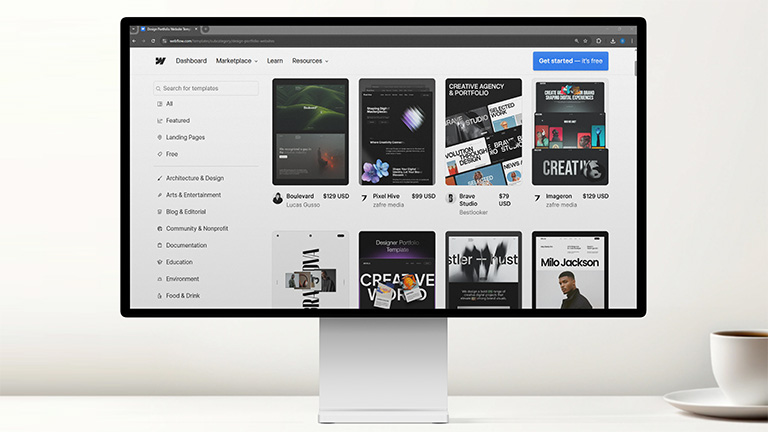
Webflow
Webflow is perfect for designers who want code-level control without writing code from scratch. It offers visual design tools that generate clean code, enabling some truly impressive animations.
Behance
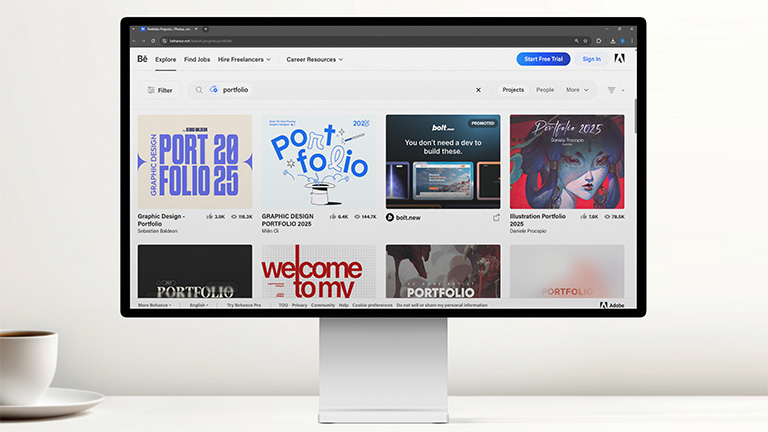
Bahence is a fantastic platform for showcasing interactive projects. You can upload high-res images, videos, and detailed project descriptions. It works well as a showcase you can link to from your main portfolio site or flipbook.
ArtStation
ArtStation is the go-to choice for game developers, concept artists, and VFX pros. It supports high-res images, videos, and GIFs, and offers plenty of tools for creating detailed project pages that really show off your work.
How to make an interactive portfolio?
Making an interactive portfolio isn’t just about choosing the perfect tool – it’s about creating a story that wins over the people you want to impress. Here’s a straightforward roadmap to get you there:
1. Define your goal and audience
First things first: What are you trying to achieve? Are you job hunting, looking for freelance clients, or showcasing a specific skill?
Your goal changes how you present things. For example, a freelance programmer’s portfolio might look different from one created by someone seeking a full-time corporate role.
Think about who you need to impress, hiring managers, art directors, or potential clients, and tailor your content and design to what they’re looking for.
2. Collect and select your best work
Quality beats quantity every time. Aim for 5-10 standout projects that highlight:
- Your strongest skills and passions
- A mix of project types to show versatility
- High-res images, crisp videos, and clean layouts
3. Choose a platform and format
Based on your goals, budget, and comfort with technology, choose the right tool. A versatile format like an online flipbook works well for many situations – or you might decide to build a custom website.
👉 Check out best free portfolio websites
4. Design the document
Create a PDF or another document format – many people start by using MS Word and then export it to PDF. Your color palette, fonts, and logo (if you have one) should reflect your personal brand. Keep it clean, organized, and visually appealing. White space is your friend; clutter is the enemy of clarity.
Make sure your portfolio matches your other professional platforms – LinkedIn, resume, and social media.
5. Tell the story behind each project
Don’t just show the final product – explain how you got there. Context is everything. Here’s a solid framework for presenting your work, no matter your industry:
- Project title and date: Keep it clear and simple.
- Quick summary: What was the project about?
- Your role: What exactly did you contribute?
- The challenge: What problem were you solving?
- The solution: How did you approach it? What was your process?
- The results: What was the impact? Use real data or metrics if you can – especially important in fields like IT or marketing.
- Visuals: Include high-quality images, mockups, videos, and process shots.
Interactivity should enhance the experience, not complicate it. Focus on features that are actually useful to the viewer – not just added for flash. Examples include embedded demo videos, clickable case studies, hover-to-zoom features, or animated GIFs that show your process in action.
6. Make it fast and mobile-friendly
Your portfolio needs to look great and work perfectly on every device – especially phones and tablets. Optimize your images and videos so everything loads quickly. Nothing frustrates a viewer more than a slow website.
7. Include a clear call to action (CTA)
Don’t make them hunt for your email. Make it easy for potential customers to reach out. Include an obvious "Contact Me" button, a simple contact form, or clear links to your resume and LinkedIn profile.
8. Test everything
Test every interactive button. Check your site on different browsers (Chrome, Safari, Firefox) and devices (your phone, your laptop, a friend’s tablet). Ask mentors or peers to review it and give honest feedback before you go live.
9. Publish and promote
Time to share it with the world! Publuu lets you share flipbooks on social media, your website, or in your newsletter. Add the link to your résumé, LinkedIn profile, email signature, and anywhere else you have a professional presence.
Take a look here to learn more about 👉 how to publish an online portfolio
Interactive portfolio designs
Architectural portfolio
Publuu’s online portfolio example
MAKE YOUR OWN
Nick Krouwel’s architectural portfolio feels like a virtual tour of his work. You can zoom in on intricate plans and explore his 3D models, letting you discover the details at your own pace. It’s a brilliant way to showcase architect's vision.
💡 Also, check out our tips for creating your own architecture portfolio like the one above
Photography portfolio
Marmo Elite's photography portfolio uses full-screen slideshows, smooth transitions, and a zoom feature to let viewers appreciate the finer details. The galleries highlight mood, composition, and technical skill – perfect for photographers who want to immerse their audience.
Graphic designer portfolio
Publuu’s online portfolio example
MAKE YOUR OWN
Andrew Olamide's graphic design portfolio showcases his full range of skills, from raster and vector art to animated logos. The best part is his interactive case studies, which let you click through each project and see how it was completed step by step. It effectively tells his story as a designer, blending fun passion projects with serious client work.
Web design UI/UX portfolio
Ljubomir's portfolio is a perfect example of practicing what you preach. It’s user-focused, guiding you through his value proposition, client testimonials, and user journey maps. The portfolio itself is a strong example of intuitive and stylish digital design.
Writing portfolio
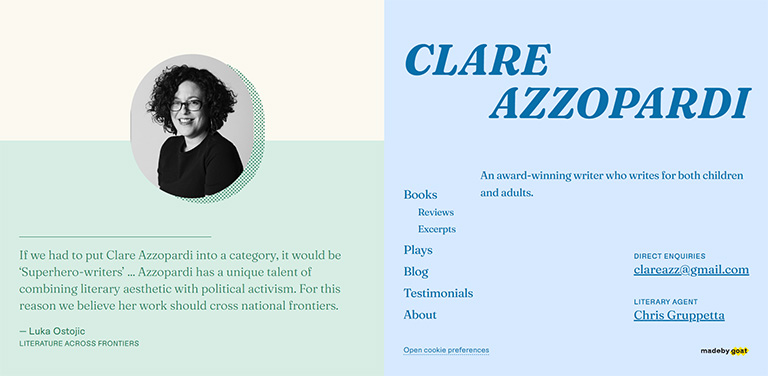
Clare Azzopardi’s writing portfolio is clean, elegant, and all about the words. It lets you explore excerpts from her articles and posts while highlighting her awards and experience. It’s a straightforward but effective way to build credibility and let her writing speak for itself.
💡 Check out our strategies for creating a successful writing portfolio as well
Video production portfolio
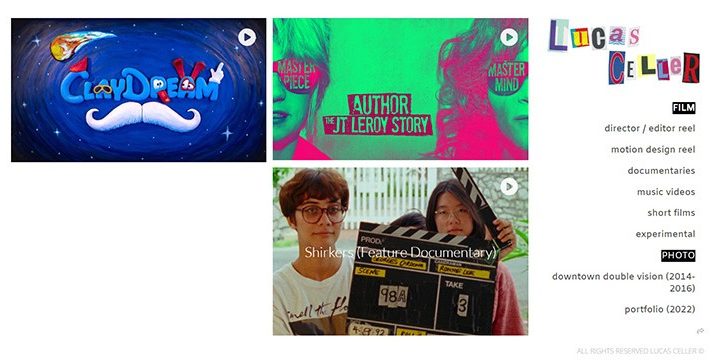
Lucas Celler's site takes you behind the camera. It features amazing video clips and an interactive timeline that breaks down the phases of film production. With behind-the-scenes galleries and a photo blog, it offers a complete picture of his skills and process.
Game and animation design portfolio
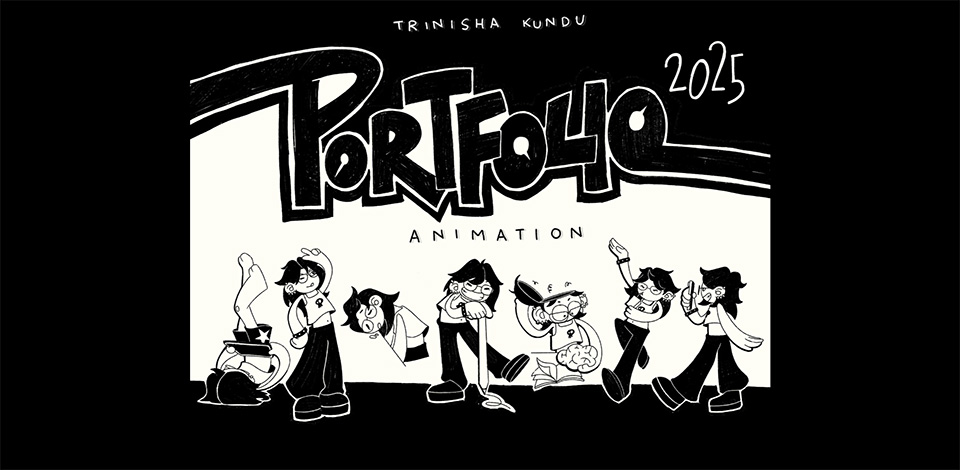
Trinisha Kundu’s animation portfolio is bursting with personality, thanks to her quirky animated characters. She gives viewers a peek into her creative process with showreels, color palettes, and storyboards. The high-resolution images really make her characters and designs shine!
Interactive portfolio best design tips
- Prioritize usability over flashiness: Interactivity should enhance your work, not distract from it. If an animation or effect doesn’t add value, skip it. Use “Back to Top” buttons, sticky menus on long pages, and clear breadcrumbs.
- Design mobile-first: Over 60% of portfolios are viewed on phones or tablets. When designing, consider touch gestures, font sizes, and tap targets (buttons and links).
- Speed is non-negotiable: Aim for a load time under 3 seconds. Compress images (use TinyPNG), lazy-load videos, and avoid heavy scripts.
- Be consistent: Use a maximum of 1–2 fonts, a cohesive color palette (3–5 colors), and repeat visual motifs (e.g., custom cursors, section dividers).
- Visual hierarchy matters: Look at the sample portfolios in our list. Follow this structure:
- Bold project titles > short descriptions > subtle CTAs.
- Use size, color, and spacing to prioritize content.
- Challenge → Solution → Result: Show your achievements clearly. For example:
- Challenge: "Client needed a website that converts 20% more leads."
- Solution: "I redesigned the UX funnel and added interactive calculators."
- Result: "Conversion increased by 27% in 3 months."
- Show, don’t just tell: Present actual achievements – live project links, demo videos (<60 sec), or interactive infographics. Where possible, use numbers: "Increased user engagement by 30%", "Reduced loading time by 2 seconds."
- Check for specific things: Don’t ask if people liked your portfolio. Ask non-designers: "Can you find my contact info in 5 seconds?" or "Which project impressed you most?"
- Avoid auto-play audio/video: It’s jarring and unprofessional.
Interactive portfolio FAQ
Who should have an interactive portfolio?
Anyone who wants to showcase their skills and projects in a more engaging way should consider having an interactive portfolio. This is especially useful for professionals in creative fields such as design, art, photography, writing, web development, or film.
How can I make my portfolio more interactive?
Here are some examples of interactive online portfolios you can create:
- Flipbook portfolios that mimic turning pages and include embedded videos and clickable elements
- Personal websites with project galleries and detailed case studies
- Creative community platforms with project collections
- Video portfolios that guide viewers through your work with narration
- Interactive résumés with clickable sections highlighting different skills and experiences
- Photography galleries featuring zoom functionality and slideshow capabilities
Conclusion on interactive portfolio
A strong interactive portfolio isn’t just a collection of work – it’s a chance to share your skills with the world. Whether through a Publuu flipbook, website, or video, the goal is clear: show what you’ve done and how you did it.
Publuu offers you options to fit your style and goals. Check our ideas, base on our examples and build a flipbook portfolio that reflects your abilities and artistic talent!
You may be also interested in:
The most popular types of portfolio
Teacher portfolio – how to prepare it?