What is content management and how does it work? Tips and examples
Good content drives everything. But what does that actually mean for your business? Do you know how to effectively use content for your blogs, videos, and photos to reach customers? Whether you deal with PDFs, presentations, or digital catalogs, modern tools such as flipbook creators can help you showcase your skills and create amazing content.
However, creating engaging content is just the beginning. The real deal is managing that content effectively. Content management makes your materials easy to find, keeps them updated, and builds trust with your audience.
In this article, you will learn what content management is and how to use it to get real results.
What is content management?
Content management covers the entire life cycle of your materials, from the first idea to deletion. It’s more than just writing and publishing; it’s about planning, creating, storing, updating, and archiving your content effectively.
Every business needs a content management process to stay organized and consistent - whether it’s managing blog posts, product descriptions, or social media updates.
A content management system (CMS) helps you handle all these tasks in one place, making it easy to plan, publish, and analyze your content with built-in tools for collaboration.

Why is it worth implementing content management?
Do you want your marketing to be transparent and effective? Then you need proper content management. It keeps your information organized, up to date, and reliable. A content management system is more than an archive; it’s a powerful database that helps you understand your audience better.
Good content management also improves teamwork. When everything is structured, it’s easier to assign tasks, track progress, and avoid duplicate work. The right tools, such as WordPress plugins, save time and minimize errors.
Differences between structured and unstructured content
When building a content management system, you’ll work with both structured and unstructured content - from blog posts to product descriptions. Unstructured content (texts, images, audio, videos) can’t be easily stored or searched in a database, so managing it often requires manual work.
Most organizations use both types. For example, a blog post may include structured elements like author names, dates, or tags.
Below is a quick comparison:
| Feature | Structured content | Unstructured content |
|---|---|---|
| Definition | Has a defined format and rigid data fields. | Can take any form: raw text, images, audio, video. |
| Examples | Product table (name, price), FAQ (question, answer), job offers (position, location). | Blog posts, articles, press releases, PDF files, podcasts, photos, videos. |
| Application | Enables easy sorting, filtering, searching, and automation; ideal for reuse across different platforms (website, app, email). | Ideal for storytelling, creating longer narratives, expressing opinions, and delivering rich, creative content. |
Main benefits of content management
Implementing a content management system may sound complicated, but in reality it's just a way to make your work easier. It will help your business run more efficiently.
More time for what matters
If you have all your files and texts in one well-organized place, you won't waste time searching for them. When your team can find logos or graphics right away, work goes faster and without downtime.
Consistent brand image
When you have a brand kit for how your materials should look (e.g., logo, colors, fonts), your brand looks professional and consistent everywhere, from your website to social media. This makes it easier for customers to recognize and trust you.
Lower costs
A good plan and division of roles within the team can vastly reduce your expenses. Hiring an editor to proofread texts will make copywriters work better and faster, and you'll save money on corrections in the long run.
Better teamwork
When everyone knows what to do, work runs smoothly. The graphic designer sends the design, the editor checks it, and you approve it. The flow is there thanks to efficient content management software.

Easier to find you online
If your content is well described (e.g., it has the right keywords), search engines like Google will show it higher in the results.
Faster introduction of new products
Simplified processes allow you to create and approve marketing materials faster. This allows you to respond more quickly to trends and easily bring new products to market.
Data security
Regular backups protect you from losing important files. Storing documents in the Publuu cloud provides additional protection that minimizes risk and ensures that everything complies with regulations such as GDPR. Publuu not only keeps your files safe but also lets you track how readers interact with your content.
💡 Learn more about: The impact of using flipbooks in digital publishing.
Easier business growth
A well-designed system grows with your business. When you hire new people, you can easily integrate them into the system without costly rework.
Customer satisfaction
Customers like it when information is consistent and up to date. Organized content builds trust and helps them better understand what you want to communicate to them. As a result, they are more satisfied and more likely to come back to you.
Better decisions thanks to data
Through analysis, you can see which content is popular. Tools such as Publuu offer detailed insights into reader behavior - which pages attract the most attention and how long users stay engaged. These analytics help you understand your audience better and create more effective content, as explained in Publuu’s guide on understanding your audience.
Content personalization
Once your data is organized, you can easily tailor your message to different groups. For example, you can change the language and graphics to better appeal to young audiences.

Best content management strategies
Do you want your company’s content to run smoothly and efficiently? You need a clear and simple content plan. Here are the key steps to help you achieve that.
1. Find out what your customers want
Don't create content blindly. First, find out who your customers are and what they are looking for. For example, if you sell speakers, a music fan may be interested in acoustics, while an engineer may be interested in technical data on material resistance. Think about the questions your customers ask themselves and how you can help them at every stage.
2. Organize your content and reuse it
Define the types of content you create (e.g., product descriptions, articles, answers to questions). This will make it easier to organize. Also, use the same materials in different ways. For example, you can use product photos from your website in a Facebook post, and simplify a long text on a complex topic into a few points that are perfect for Instagram.
Each piece of content should have an "owner" – a person who is responsible for it. Assign clear roles, e.g., who writes the text, who checks it, and who publishes it. This way, everyone will know what to do, and the work will run smoothly.
4. Simplify the work process
Design a simple plan that shows what happens to the content step by step: from the idea, through writing, to publication. The fewer steps, the faster and easier it is.
5. Introduce rules
Use ready-made templates and set rules, e.g., "company name always in bold". This will ensure that your content is consistent and professional, regardless of who creates it.
6. Measure results and respond
Check how many people read your texts and what keywords they enter into the search engine. Based on this, improve or remove content that doesn't work. It's a simple way to continuously improve your strategy.
7. Think about the future
Create content that can be easily updated. Prices and products change frequently, so make sure your descriptions are flexible. Choose tools that will help you make changes easily.
8. Choose the right tools
You don't need all the tools available. Choose the ones that best suit your needs and team size. Remember, you're in charge, and the tools are only there to help you.

Tools for various types of content management
Since there are many types of information - or content, there are different tools to manage it, depending on the industry or the business.
✔️ Web Content Management (WCM)
The most common type of CMS, since nearly every company has a website. WCM helps you create, edit, and publish web pages, articles, and blog posts without coding skills. Platforms like WordPress let you manage text, images, and other media in one place.
✔️ Document Management
Used for storing and tracking important files such as contracts, reports, or invoices. It keeps everything secure, organized, and up to date. A law firm, for example, can quickly find all files related to a case, complete with tags, dates, and version history.
✔️ Digital Asset Management (DAM)
Designed for managing creative files – logos, photos, videos, and audio clips. A DAM helps teams store, search, and share assets efficiently. Marketing teams can easily find the right product images for new campaigns.
✔️ Enterprise Content Management (ECM)
A comprehensive system for large organizations that need to manage all kinds of content, documents, videos, emails, and web materials, in one place. For instance, a hospital may use ECM to combine patient records, training videos, and website content under a single system.
✔️ Learning Content Management System (LCMS)
Focused on online courses and training materials. It allows teachers and trainers to create lessons, quizzes, and tests, and deliver them to students or employees through one platform.
✔️ Media Asset Management (MAM)
Specialized for companies dealing with large volumes of video and audio files. It simplifies editing, cataloging, and archiving. Even streamers and content creators use MAM tools to quickly locate and reuse video clips.
The process of creating content management
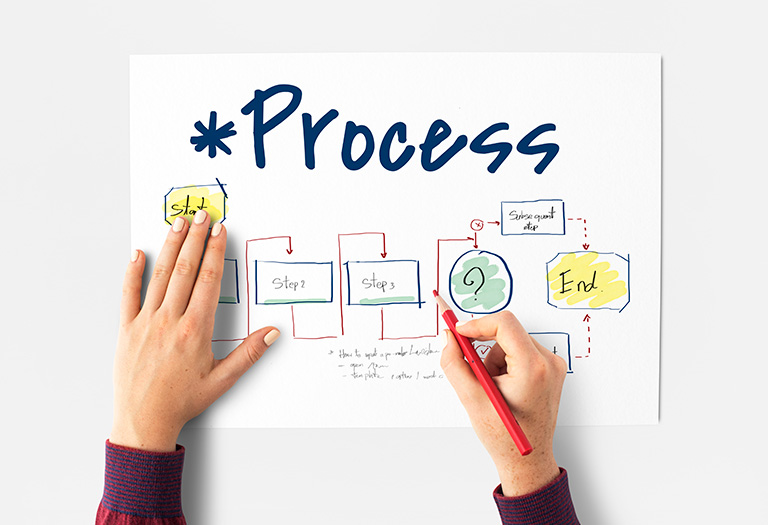
Managing content doesn’t have to be complicated. It really comes down to a few clear steps that you can repeat each time. The main thing is to keep your team organized and on the same page.
Here’s how the whole process usually works:
1. Planning
Define your goal and audience. Decide what content you need and avoid unnecessary details. Create an editorial calendar and post regularly to keep your audience engaged. Remember key dates like holidays and events.
2. Creation
Establish a style guide with basic rules for how your content should sound. For example, legal texts should be more formal, while content for younger audiences can be more casual.
Use templates for frequently published materials, such as blog posts or social media updates. This saves time and ensures your content looks and sounds consistent.
3. Editing
Remember the difference between editing and proofreading:
- Editing is making sure about clarity, accuracy, and factual correctness.
- Proofreading is about fixing grammar and spelling mistakes.
Keep in mind that while AI tools can help, human editing is essential. Check that your content is not plagiarized and that you have the right to use the images - copyright rules may vary by region.
4. Publishing
Before publishing, add a clear title, description, and tags. Check visuals and how the post looks on different devices. Share your content at the best time and place when your audience is most active.
5. Storage and organization
Keep your files organized with clear names, like "womens-shirts-summer" instead of "clothes-photos-2". Use folders for different topics or dates.
Add keywords and notes about how content can be reused. Updating and reusing content saves time and helps you reach more people.
6. Update and optimize
Update your content regularly, especially product descriptions. Keep facts, screenshots, and links up to date. Remember to inform your audience about any changes you make, as this builds trust.
Monitor your data. Analyze search terms, bounce rates, support tickets, and conversions. This will allow you to fix errors and develop your content on an ongoing basis.
Examples of content management
Picking the right tool makes managing content much easier. Here’s a look at some popular options and what kinds of projects they work best for.
Publuu (recommended)
Publuu integrates easily with popular CMS platforms and provides simple, interactive access to your PDF content. Our digital flipbooks can become the heart of your publishing strategy and integrate seamlessly with your website, offering easy access to online magazines.
Practical application: Publuu flipbook combine the greatest strength of a physical book - flipped pages, freedom of exploring - with ease of access of an ebook. You can share them on social media, add them to newsletters, or use them for online catalogs.
Who it's for: Anyone who wants to create and share digital flipbooks.
Publuu’s online magazine example
WordPress
This tool is the most widely used system in the world, powering over 43% of websites. Its strength lies in its simplicity and flexibility.
Practical application: Ideal for running a travel blog or a small café website. Even without coding skills, you can easily add posts, photos, and product descriptions. With plugins like WooCommerce, you can also start selling online – from handmade crafts to baked goods.
Who it's for: Beginners, bloggers, small businesses, and freelancers.
Joomla
This tool is a step up from WordPress. It’s great when you need something more powerful. It is designed to manage complex websites with a large number of users and diverse content.
Practical application: It works great for news portals that need to publish content in multiple languages, and large corporate or educational intranets where employees have different levels of access to information. With extensions, you can create an advanced product catalog for a wholesale business or a social networking site.
Who it's for: Medium and large companies, portals, non-profit organizations, and individuals who need advanced user management.
Drupal
Known for its security and scalability, this CMS is ideal for managing large amounts of data and complex websites.
Practical application: It is the favorite tool of large institutions and corporations. It is used, for example, by governments, universities, and marketing agencies that need to serve millions of users and manage complex data. Drupal is the perfect platform for building an advanced educational portal or a platform for scientific data analysis.
Who it's for: Experienced developers, large organizations, and institutions that prioritize security and full control over their data.
Shopify
Designed specifically for e-commerce, this CMS offers all the tools needed to build and manage an online store.
Practical application: Ideal for running a store with clothing, digital products, or cosmetics. The system automatically handles payments, tracks inventory, and sends notifications to customers. You can easily add new products, organize promotions, and create a professional-looking store without needing technical skills.
Who it's for: Entrepreneurs, small and medium-sized online stores, and anyone who wants to sell products online without technical knowledge.
Content management best practices
1. Define a clear strategy
Your content goals must be consistent with your overall business goals. If the goal is to promote a new e-book about comics, prepare the content you want to promote: you can publish excerpts on your blog or show excerpts as videos.
2. Establish management and roles
Clearly define roles within the team. The copywriter creates the e-book description, the graphic designer prepares thumbnails for ads, the editor approves the final version, and the social media manager plans the campaign on Facebook and Instagram.
3. Use metadata
Use descriptive tags to make searching and categorization easier. For an e-book about pop culture, use tags such as: #DC, #Marvel, #comics, #superheroes, #history, #culture. This will make it easier for your audience to find your content in the database and in Google SEO.
4. Implement version control
Track changes in content so you can revert to previous versions if necessary. Publuu allows you to update ebooks and showcase new content.
5. Create a verification process
Before you publish an article, make sure that the facts and quotes are accurate. The verification process should include checking factual accuracy and consistency with your brand's tone. Hire employees who specialize in fact-checking.
6. Prioritize accessibility
Content should be accessible to everyone. Ebooks should be formatted so that they are readable for people using screen readers. Add alternative text (alt text) to images and subtitles to videos with interviews.
7. Update content
Refresh content regularly. An article on trends that was written in 2023 must be updated with new data from 2025 to remain credible and relevant. Optimization, analysis, and organization.

8. Optimize for SEO
Use relevant keywords so your e-books and articles rank higher in search results. For example, a pop culture article titled "How Baldur’s Gate 3 conquered the world of RPGs" should include terms like "Baldur’s Gate 3", "Larian Studios", "RPG game", and "game review". Publuu’s guide on optimizing your flipbook for SEO explains how to apply similar principles to digital publications.
9. Reuse content
Use the same content in different formats. From a chapter of an e-book about the evolution of Star Wars, you can create a series of Instagram posts or a short YouTube video.
10. Use a mix of formats
Engage your audience with different types of content. Add infographics with key facts, photos from the set, or interactive quizzes for fans to your text about the cult TV series.
11. Analyze performance
Track which articles in your Publuu e-book are the most popular. Analyze how much time readers spend on specific pages and which links they click on. This knowledge will allow you to create even more interesting content.
12. Integrate your systems
Connect your content management system (CMS) with email marketing tools to automatically send newsletters with information about new magazine issues.
13. Provide training
Train your team so that everyone knows how to use the CMS and follow the publication guidelines.
14. Logical organization
Structure your content. For example, create categories in your digital magazine, such as "Movies", "Games", "Music", and subcategories within them, such as "Reviews", "Interviews", "Analyses". This will improve navigation.
15. Plan for the future
Choose scalable tools that will allow you to grow. If your e-book is successful, you will need a system that can handle the expansion of your database and growing team.
Conclusion on content management
Nowadays, when content is everywhere, the companies that win are those that keep it organized. Whether you're creating posts, product descriptions, or e-books, the rules are simple: plan wisely, act consistently, and always think about your audience.
You don't need to have a perfect system and complex tools right away. Start with small steps: organize your basic files, determine who is responsible for what, and see what works best. Customers don't see it, but they know when they always receive consistent, valuable, and up-to-date information.
You may be also interested in:
Green marketing: what it is, how it works, and examples
What is a digital engagement – a complete guide