


How to change flipbook Launch Effect?
Launch Effects are visual animations that appear when a reader opens your flipbook. They add a dynamic, engaging introduction to your publication, making the first impression more interactive and visually appealing.
These effects can help highlight your brand, set the tone of your content, and make your flipbook feel more modern.
🎥 Prefer watching instead of reading? Check out the video tutorial:
Types of Launch Effects
Publuu offers several Launch Effect styles, each designed to create a unique opening animation for your flipbook. You can choose the effect that best matches your content and branding, whether it's an opening book, a curtain, sliding doors, or another animation style available.
Each effect is represented visually in the editor, so you can easily preview the experience your readers will have.
How to apply Launch Effects
1. Choose the flipbook you want to edit in your editor and click the Customize button to open the customization panel.

2. In the customization section, go to the Launch Effect tab and click on it.
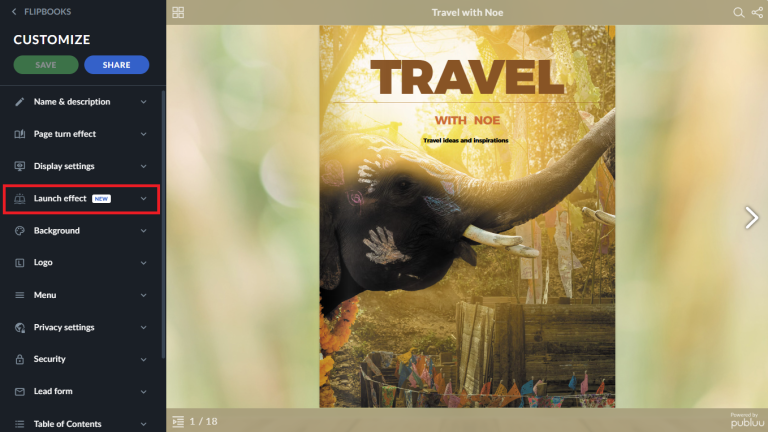
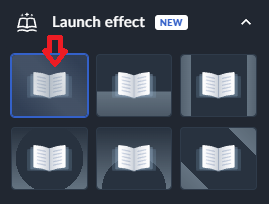
3. Now that you're in the Launch Effect area, choose an animation style you prefer by clicking one of the window buttons with a book icon.
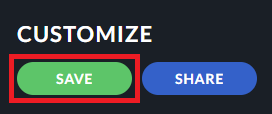
4. At the end, save your changes using the green Save button and that's it!
Below, you can see one of the Launch Effects in action.
Your updated flipbook will now open with the Launch Effect you chose, so your readers get to enjoy it the moment they view your publication.
You may be also interested in:
How to add real book effects?
How to customize page turn effects in your flipbook?
How to brand your online publications?
