How to Convert a PDF to QR Code: A Step-by-Step Guide
The pocket of every smartphone user holds a tool that can instantly read QR codes. With just one click, a restaurant menu, a website, or a price list for a local business pops up on the screen. How can you use QR codes to attract users? Check out a step-by-step guide showing you how to convert a PDF file into a QR code that you can place wherever your potential customers are.
Keep in Mind
- Converting PDFs to QR codes simplifies the digital distribution of PDF documents – all you need to read them is a smartphone with a camera and internet access.
- You can share PDF documents using static and dynamic QR codes.
- Low-quality QR codes complicate access to the PDF file and discourage users from engaging with the brand.
What is a PDF QR Code?
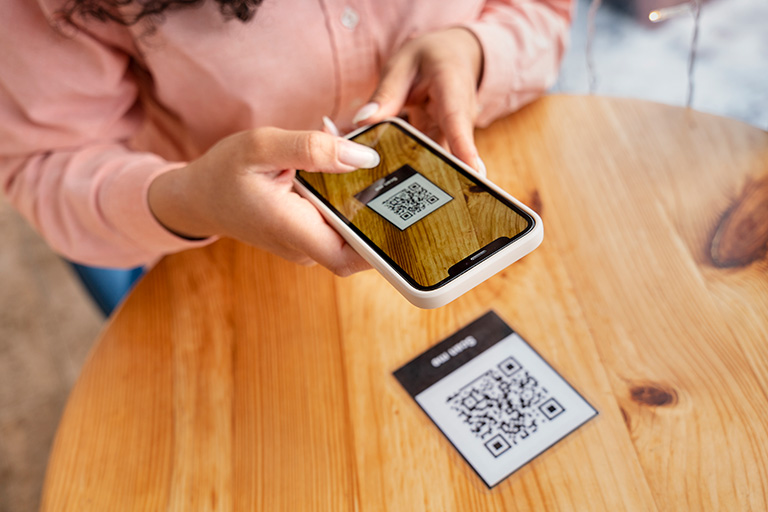
PDF QR Code is used to share PDF files via QR codes – black-and-white squares containing a link to the file. Whenever someone scans the QR code with a smartphone, they can open the attached PDF file.
Today, QR codes are an essential part of marketing, advertising, and sales communications.
Why Convert a PDF to a QR Code?
Using a QR code for PDFs is a great way to share files. No more sending attachments via email or searching for them in your inbox. You can share the QR code on a website, on an outdoor advertisement, or as stickers in public spaces. You only need a mobile device to scan the code and open the PDF.
How to Convert a PDF to a QR Code Step by Step
It's time to convert your PDF document into a QR code. Here's a step-by-step guide on how to do it in Publuu:
1. Upload a PDF file – Import a PDF file from your computer to Publuu. The document will be converted into a flipbook, and a QR code will be generated automatically.
2. Download the QR code – You can share the finished code immediately on social media or send a dedicated link. If you want a printable version of the QR code, click the DOWNLOAD IMAGE button. The code will be saved in .png format.

3. Share your QR code – You can use the image with the QR code in the PDF flipbook on advertising banners, on your website, or print it on business cards.
Static vs Dynamic PDF QR Codes: Which One Should You Choose?
The main function of a QR code is to share files such as PDFs. But did you know that with Publuu you can share various links and track analytics for your PDF flipbook?
Static QR Code
This is a standard type of QR code that, when scanned, directs the user to the corresponding file. Each static QR code refers to a single link, so if you want to share several PDFs, you'll need to generate the same number of codes.
Dynamic QR Code
Unlike in a static QR code, the short URL linked to a dynamic QR can be modified. You can redirect users to different PDF files without sharing new QR codes.
Also, dynamic QR codes collect statistics. You can connect them to an analytics platform (e.g., Google Analytics) and track the engagement metrics.
Tips for Creating a User-Friendly PDF QR Code
How can you get users to notice your QR code and scan it? Use the following tips to make your PDF file linked to a QR code stand out.
Use High Contrast

A QR code doesn't have to be black and white. You can choose colors that match your brand. However, be sure that there is a high contrast between the background and the encoded area.
Add the Company Logo
To let people know who owns a QR code, you can customize it by including a logo or brand-specific elements.
Adjust the Size and Resolution
Both QR codes on business cards and those printed on billboards should be the right size and resolution so that smartphones can scan them without any issues. Otherwise, you'll lose the chance to attract many unique users.
💡 Did you know? With Publuu, you can update your PDF content at any time - without changing the link or QR code. See how it works in the video below 👇
Common Mistakes to Avoid When Creating PDF QR Codes
Is it possible to create a bad QR code? Check out the most common mistakes people make when generating PDF QR codes to avoid them.
Choose the Right Type of QR Code
Static or dynamic? If you generate a static QR code and later find that you need to change the PDF file linked to it, you're in big trouble. Making changes to online content is simple and low-cost, but can you afford to reprint hundreds of business cards or promotional brochures?
Leave a Quiet Zone
Don't forget about the quiet zone - the border around the code. It helps smartphone scanners identify the QR code more easily and scan it without problems. Otherwise, scanning can be so frustrating that users will lose interest in your brand.
Use Proven PDF-to-QR Code Converters
Websites offering free PDF to QR code generators come and go. When you create your QR code on Publuu, you can sleep soundly knowing that it will always work.
Final Thoughts: Is a PDF QR Code Right for You?
Sharing PDF files via an interactive QR code is a practical solution in an era when everyone has a smartphone in their pocket. In just a few seconds, anyone interested can view the document without waiting for an email or typing the URL into a browser.
At Publuu, we turn every PDF into an interactive flipbook that is both user-friendly and stunning. Create a QR code in Publuu for free and reach new users effortlessly!
FAQ: Converting PDF to QR Code
Do you have any further questions about converting a PDF into a QR code? Check out the FAQ below for helpful information.
How Secure are PDF QR Codes?
PDF QR codes are a secure way to share content with users. When you generate a QR code in Publuu, you have password protection and restricted access settings to keep control of your publications.
Can You Track Scans and User Engagement with a PDF QR Code?
Yes. By choosing dynamic QR codes, you can track when, where, and by whom your code is scanned.
Where Should You Place a QR Code for the Best Results?
You can place a QR code on a website, in a presentation, on flyers, on billboards, and anywhere else your creativity takes you. Each time, make sure the code has a high resolution, a quiet zone, and high contrast. It's a good idea to include a call-to-action (CTA) next to the code to encourage people to scan it.
You may also be interested in:
How to improve your PDF files
How to make a PDF file searchable? 6 simple ways
How to lock a PDF? A comprehensive guide