How to design a modern school magazine in 2026
In 2026, when most students consume content through smartphones and short-form video, do school magazines still make sense? Surprisingly, yes, but only if they are designed with modern habits in mind. Over the last few years, school magazines have seen a pretty solid comeback, but they still need to catch up with the smartphone era.
In this article, we'll explain how to design an engaging school magazine, which tools are most useful for digital magazines, and how to publish it so it reaches students, their families, and school staff.
What is a school magazine?
A school magazine is a publication created by students and teachers that presents school life, strengthens a sense of belonging, and keeps readers informed. It is often produced under the guidance of teachers or within journalism or media clubs, although some schools collaborate with professional designers to achieve a more polished result.
Modern school publications are basically digital, so they can be easily shared, stored in an online archive and contain interactive features. The goal isn't just teaching kids how to write or do DTP (desktop publishing). It's about making sure the content is actually accessible to everyone. Below is an example of what a school magazine created with modern digital tools can look like in practice.
Publuu's interactive magazine example
How should a modern school magazine look?
Remember those old-school papers? White background, printed on the office copier, text simply placed into Word with Times New Roman because it looked "newspapery". But today, you can take it to a whole new level.
You don't need professional tools like InDesign or Scribus to create something that looks polished. Most of them export your work as a PDF, which then becomes the base for further publishing. What matters most is clarity: readable fonts, clean spacing, and strong subheadings.
Your background can be white, but if you're aiming for a digital release only, a custom background or an off-white texture will look much more professional. In fact, don't overdo it with colors. Stick to black text on a light background, and add one or two accent colors.
The school's official color palette is usually a great choice for this. Even if a school doesn't have a crest or official branding, you can still build a consistent visual style. For example, my old primary school was visible from a mile away thanks to its pink walls; today, I'd probably take a photo of it at high noon and use that exact shade of pink as a signature color.
Typography also plays a big role. Serif fonts like Times New Roman used to dominate, but they don’t work as well on smaller screens. Sans-serif fonts are easier to read, while a serif font can still be used for emphasis. Stick to two or three fonts max.
Finally, focus on structure. Recurring sections should be easy to recognize, whether through layout, icons, or consistent formatting. A clear table of contents and simple navigation make the whole magazine easier to use, especially in digital form.
This might sound simple, but in practice, many school magazines still get these basics wrong.
Why traditional school magazines fail today?

Why are school magazines so boring? Because many school publications fall into familiar patterns and copy formats people remember from their own childhood. But today's students don't want to read a magazine designed like it's 2005. And if nothing changes, in 20 years students will be replicating the same outdated templates all over again.
So what needs to change?
⭐ Poor distribution. Why are you creating a magazine in the first place? So that students (and parents) can access content presented in a professional, convenient way. That's why it makes sense to start with a digital-first approach. Print copies end up in the trash after a week, while a digital version is always available - and it makes it easy to build an online archive.
⭐ No readership insights. It may sound a bit "corporate", but sometimes you genuinely want to know what people actually read. For example: do parents really open the article about a school budget and how their money is being spent? Digital flipbooks, such as those on Publuu, can provide enhanced readership statistics.
⭐ Lack of interaction. Today, students expect links, video, photo galleries and quick, scroll-friendly formats. In practice, static pages without any interactivity simply can't compete with that experience.
⭐ Costs and logistics. Schools often say "we've always printed it", but a 100-page issue can quickly drain resources. Digital magazines are usually cheaper, faster to publish, and much easier to update as school life changes.
🎯 Did you know? You can update your magazine anytime, so readers always see the latest version. Learn more about updating your flipbook.
What makes a school magazine engaging?
You have two goals here: create something memorable and teach kids solid journalistic habits. It should feel professional, but still reflect the voice of the school.
Content

Your content should focus on what readers actually care about. It should also model good journalism: informing people and telling the truth. Students want to understand how their school works. They're starting to ask questions. They become curious about the people around them.
Writing about people and their stories is a great approach. Even simple situations can turn into engaging stories. A delayed school bus or a frustrating trip to school can easily become something readers relate to. Let students learn the art of interviews. It's a useful skill.
Micro-formats work well, like: "5 Questions with...", "Before and after", "Top 10", "Myth vs. Fact". These work especially well in older schools with traditions, but newer schools can look toward the future.
Visual aspects
Remember to use authentic photos (stock images can be misleading, and AI is controversial). Students should also learn about photography, so make them take as many photos as possible and learn how to prepare them for publication.
Create infographics and fact boxes to break up the text. Quotes, decorations, they can all make your school magazine stand out.
White space matters more than most people think. Avoid walls of text and show them that content can "breathe".
Structure
Every magazine, not just school ones, is divided into three parts:
- The front: intro, regular columns, quick news.
- The middle: the "cover story" and big feature articles.
- The back: reviews, humor, puzzles and crosswords.
Your magazine should follow this structure too. That helps readers know what to expect and makes the whole magazine feel more organized.
Also, each article should feel complete. A strong lead, subheadings, pull quotes, and photo captions all make a piece more enjoyable to read.
Topics
Topics are often the hardest part. Give students creative freedom, absolutely, but remember, if they just want to share their opinions, they'll do it on social media. The magazine is a chance to show them how journalism is different from posting on Instagram. We've noticed that the most engaging school magazines tend to focus on a few recurring themes:
⭐ School life - events, clubs, projects. Teach them the basics of feature writing and maybe even some more advanced techniques.
⭐ Human interest stories - these don't have to stay within school walls. What about life in the neighborhood or city?
⭐ Student lifestyle - studying tips, hobbies, sports, culture. Maybe someone wants to recommend a great movie, video game or just share some practical advice.
Design tips for a modern school magazine
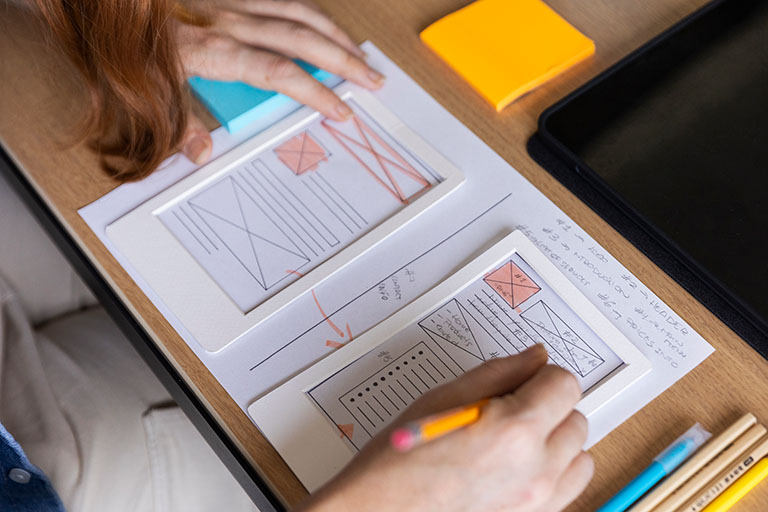
People often don't think about magazine design. They assume that as long as you put the MS Word text into two or three columns, you've got a "real newspaper".
In reality, the key element is the grid. You can imagine it as a 3×3 or 4×4 layout, but what really matters is sticking to it: keep consistent margins and plan your page layout around that grid. Pass this principle on to students when you're creating the magazine together.
Place photos according to the grid, for example, make them the width of a single column if you're using a 3×3 layout. Make sure the photo captions don't break the structure. Captions build credibility.
Today, a typical body font size is 10-12 points, but when something is meant to be read on a screen, you can comfortably go larger. Remember line spacing and space after paragraphs. Many American publishers add space between paragraphs. In that case, you don't need to use a first-line indent.
Also, don't forget about the cover design. You might have lots of ideas, but at the beginning it's better to focus on one strong main element. Show students how to take strong, expressive photos and explain the basic principles of contrast and rhythm in visual composition.
Take advantage of interactive elements
Once you have a clean layout and structure in place, the next step is making your magazine more interactive. This is where digital tools can really make a difference.
If you're working with a digital magazine prepared as a PDF, you're not just sharing a document. You're creating a format that can guide readers, respond to their actions and keep them engaged.
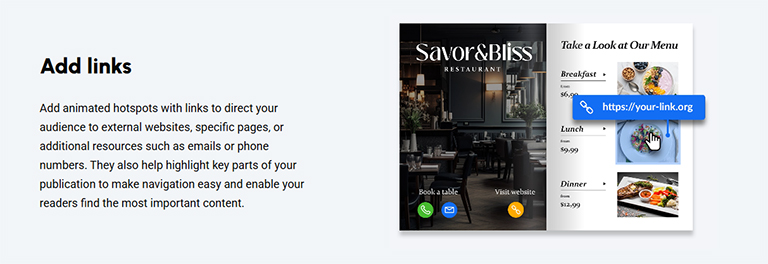
You can turn a static file into something much easier to navigate by adding clickable links. Link your table of contents, sections, or external pages so readers can jump straight to what they need. For example, a student can go directly to a sign-up form for a school trip. Less searching, more reading.
Students respond well to interactive elements that reveal extra content. Use hotspots on images to add context without cluttering the page. A photo from a school event can open a behind-the-scenes quote or a small gallery. You can also add private notes for your own reference, stored locally in your browser so only you can access them.
Audio and video integration
Adding video or audio can make your magazine much more engaging. Short clips from school trips, project showcases, sports practice footage - all of it draws readers in. And since young people are into podcasts, you could record a school podcast, transcribe it with online tools, and link it right in the magazine.
Forms, surveys, and real interaction with the school
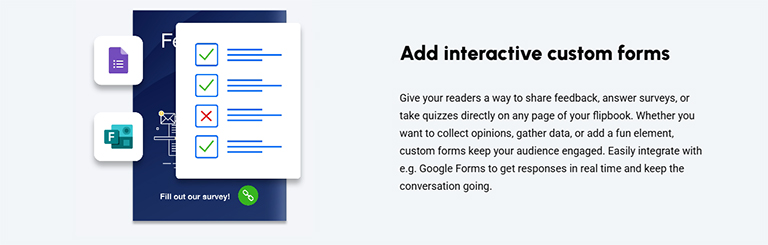
End your issue with a poll: "What should we cover next month?" It turns a one-way broadcast into a real conversation with the student body. You can ask, "What do you think?", let readers contact the right teacher, or collect student feedback about an event or a guest speaker.
The best tools for designing and publishing a school magazine
Publuu (recommended)
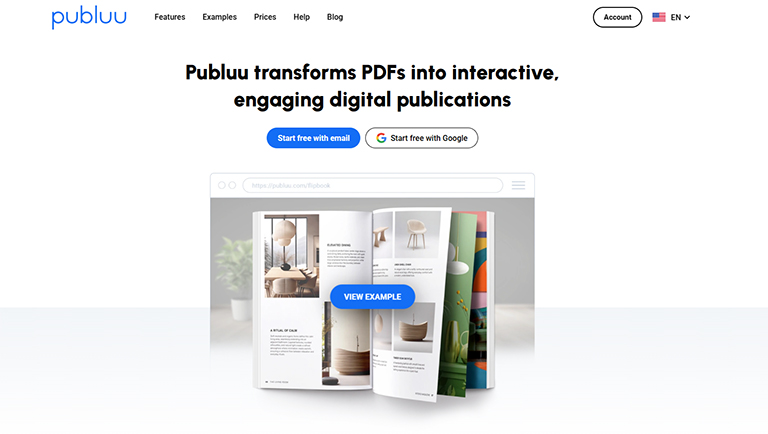
Publuu is a practical tool for converting and publishing PDFs. It can turn a plain document into a modern, interactive magazine with a realistic page-flipping effect. Your students can open it on their phones, share it on social media, or embed it directly on the website. With features like analytics and interactive hotspots, it's much more than just a standard PDF posted online.
Canva
It's simple, it runs in your browser, and even total beginners can make something that looks professional. The template library is massive. Students can collaborate on the same document in real time and export the final PDF to Publuu with one click.
Adobe InDesign
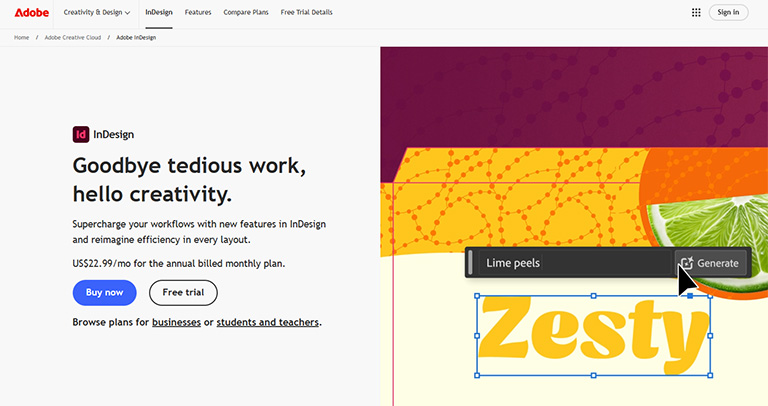
This is the industry standard for professional desktop publishing. It does come with a learning curve. You'll need to understand things like printer bleeds and master pages. But if you've got some design skills, it's a great option. Many schools can even get Adobe Creative Cloud at a discount or even free through educational programs.
MS Office / Google Docs
Plenty of people start here, and that's totally fine. Microsoft is phasing out Publisher, but Word + PowerPoint still gets the job done for producing PDFs. Honestly, a lot of people find PowerPoint easier for layout because you can move elements around more freely. For free alternatives, Google Docs and Google Slides work just as well.
Affinity
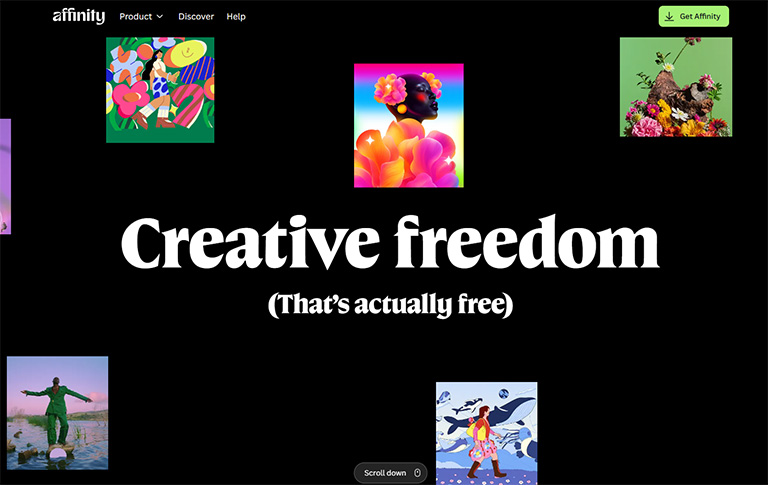
Affinity Publisher is a solid, professional alternative to InDesign (and it's now free except for the AI features). It's often described as easier to learn.
A school magazine can of course be printed and distributed in hard copy. Sometimes, especially in smaller towns, you can even sell it as there may be no other local news source. In most cases, most readers will access it online, so sharing should focus on where students and parents already are.
Sharing a direct link
In practice, a lot of schools end up using a single link to share the magazine. Teachers post it in Teams or Google Classroom, students pass it around, and it often finds its way onto the school website. The biggest advantage is simple: you don't have to resend files every time something changes. You update the content once, and everyone sees the latest version. No more "Updated_v2_FINAL.pdf" emails.
Embedding on the school website
You can embed the magazine on the school's homepage, so that every visitor immediately sees what's happening at the school and what students are up to. Visitors can start reading right away, without downloading anything.
QR codes
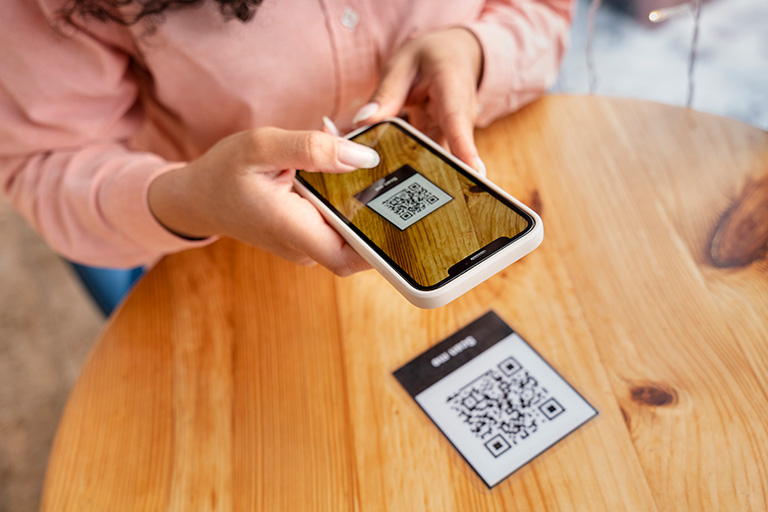
Since students always have their smartphones with them, why not take advantage of that? Place QR code posters in the hallway, the library and on notice boards. One scan and they can start reading.
Students already spend time on platforms like Facebook, WhatsApp, or even Reddit, so it makes sense to meet them there. A simple post or message with a link to the magazine is often enough, especially if you add a strong visual like the cover or a highlight from the issue. In practice, this kind of sharing spreads quickly between students without much effort from the school.
Hybrid sharing (print + digital)
Some schools combine print with digital distribution. Instead of printing the full magazine, they share selected pages or highlights and use them to direct readers to the full version online. This works well on notice boards or during school events and helps bring more attention to the complete issue.
FAQ about school magazines
1. What should be included in a school magazine?
A solid school magazine usually covers a mix of content: school news and events, feature articles about students and staff, club updates, sports coverage, creative writing, artwork or interviews. It can also include lighter sections like reviews at the end. Don't forget the basics though - a table of contents, clear sections, photo captions and contact info for the editorial team.
2. Why are digital school magazines more popular today?
Students live on their phones, so a digital magazine meets them where they already are. Plus, digital versions are cheaper to produce (no printing costs), easier to share (one link does it all), and much more interactive - you can embed videos, add clickable links, include polls and more.
3. What topics are good for a school magazine?
Pretty much anything students and parents actually care about. School events, club highlights, sports recaps, teacher spotlights, student achievements... But don't stop there.
Human interest stories tend to work best: interviews with alumni, what it's like to be a new student, behind-the-scenes of the school play. Lifestyle content works too - study tips, book or movie recommendations, local hangout spots. Opinion pieces (handled responsibly) can spark real engagement.
The trick is giving students creative freedom while guiding them toward content that's actually interesting and well-crafted.
Final thoughts on the school magazine
A school magazine is a learning experience. It teaches students about writing, design, collaboration, deadlines, and how to communicate with an audience. Those are real skills that go way beyond the classroom.
This is why school magazines aren't actually going anywhere - but days of photocopied, Times New Roman newsletters are over. Today, a good school magazine should be digital, interactive, and easy to access on any device.
You may be also interested in:
How to write a magazine article? 12 golden rules
5 stunning zine examples and tips for creating your own
Top 10 most engaging kids’ magazines