What is a favicon and why it matters?
Have you ever noticed the tiny icons that appear next to website names in your browser tabs or bookmarks? These small graphics, called favicons, play a surprisingly important role in branding and user experience, helping websites look polished and professional.
In this article, you’ll learn what a favicon is, why it matters, where it appears, and how to create one that helps your site stand out among multiple open tabs.
What is a favicon?
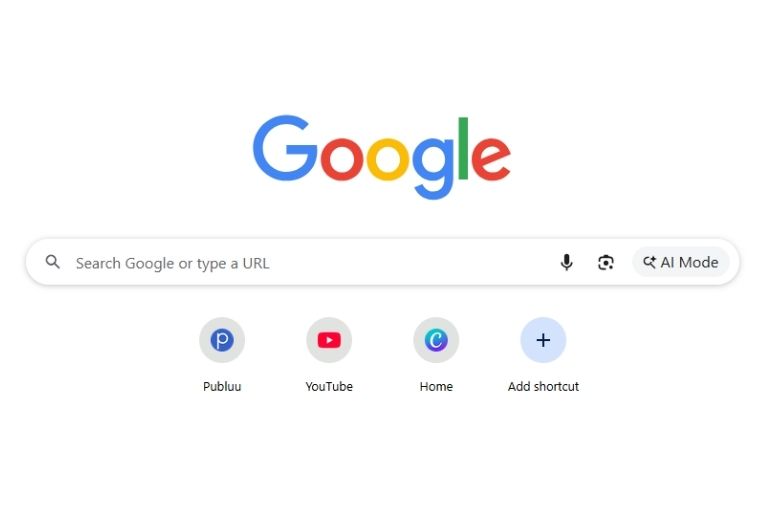
A favicon (short for "favorite icon") is a small, square graphic that represents a website across browsers and devices. In simple terms, if you’ve ever searched what is a favicon, it’s essentially a tiny website icon that helps users instantly recognize your site. Just as app icons help you find apps on your phone, favicons help you locate websites in your browser at a glance.
Originally, favicons appeared only next to bookmarked pages ("favorites"). Today, they show up in many more places and act as a quick visual clue that makes websites easier to identify.
What is a favicon image?
A favicon image is typically a very small graphic, usually 16×16 or 32×32 pixels. To put it in perspective, it’s smaller than most emoji on your phone. Despite the size, a favicon must remain clear and recognizable, because it functions as a browser icon, tab icon, and branding marker.
Favicons can be saved in different file formats, including:
- ICO (the traditional format),
- PNG (for modern browsers),
- SVG (scalable for different sizes),
- GIF (can even be animated, though this is rare).
⭐ Learn more about: Improving your website’s visual consistency and user experience in our Complete guide to interactive content.
Where can favicons be used?
Favicons appear in many key places across browsers and devices:
- Browser tabs – the most common location. Favicons help users quickly spot the right tab among many open pages.
- Bookmarks / favorites – the favicon appears next to the site name, making lists easier to scan.
- Browser history – helps users recognize recently visited sites faster.
- Home screen shortcuts – on mobile devices, the favicon becomes an app-style icon.
- Search results – some search engines display favicons next to website links.
- RSS feeds and news readers – favicons help identify the source of each article.
Why are favicons important?
Favicons might be small, but they serve several important purposes:
✔️ Quick recognition – helps users identify the right tab instantly.
✔️ Professional appearance – sites that lack a favicon often feel unpolished, which can negatively impact the overall customer experience.
✔️ Brand reinforcement – every appearance of your favicon strengthens your branding.
✔️ Improved user trust – a missing favicon can make users question a site’s credibility.
✔️ Better organization – bookmark folders become cleaner and easier to navigate.
How to create a favicon?
Creating a favicon is simple and doesn’t require advanced design skills. Here’s the easiest way to make one:
- Choose a simple symbol - use your logo or a clear letter / shape that represents your brand.
- Design it on a small canvas - keep it minimal so it stays readable when reduced to 16×16 pixels.
- Use a favicon generator or design tool - you can create your favicon with:
- free favicon generators,
- basic editors like Paint or Preview,
- design tools such as Photoshop, Illustrator, or Canva.
- Export multiple sizes - save your favicon in common sizes like 16×16, 32×32, and 192×192, and in formats such as ICO, PNG, or SVG.
- Upload and link it in your website’s HTML - add the favicon files to your server and reference them in your site’s
section.
Using favicons in digital publications
Favicons help readers quickly recognize digital publications when they are opened in a browser tab. They make it easier to find specific content among multiple open pages and improve overall navigation.
Many digital publishing platforms allow creators to add a favicon to their publications, giving shared content a more polished and professional appearance. On Publuu, adding your own favicon helps strengthen your brand and makes your online PDF flipbooks easier to recognize.
How favicons improve branding and user experience
Favicons are powerful branding tools that enhance how people interact with your website:
- Building brand recognition – favicons appear so frequently that they quickly become associated with your brand. Think of icons like YouTube’s play button or McDonald’s "M" – instantly recognizable.
- Creating visual consistency – a matching favicon strengthens the overall look and makes your website feel more cohesive.
- Improving navigation efficiency – users can spot your site faster among many open tabs and bookmarks, which makes browsing smoother.
- Standing out from competitors – a unique favicon helps your site stand out in a sea of similar websites.
- Supporting return visits – when users can easily recognize your site in their history or bookmarks, they’re more likely to come back.
Publuu’s online flipbook example
Favicon best practices
To make the most effective favicon, follow these guidelines:
- Use consistent branding - Your favicon should match your website's colors and style. If your site is blue and white, don't make a red and yellow favicon.
- Test at small sizes - Always check how your favicon looks at 16x16 pixels. If you can't tell what it is at that size, simplify your design.
- Avoid text when possible - Letters or numbers can work, but full words usually become unreadable at small sizes. If you must use text, stick to 1-2 characters maximum.
- Choose contrasting colors - Make sure your favicon stands out against both light and dark backgrounds, since browsers themes vary.
- Consider different contexts - Remember that your favicon will appear on different colored backgrounds and next to other favicons. Make sure it's distinctive enough to stand out.
- Update it regularly - If you rebrand or change your website design, don't forget to update your favicon too. An outdated favicon can confuse users.
Final thoughts on favicons
Whether you run a personal blog, an online store, or a company website, spending time to create a good favicon is worth it. It is a small investment that brings benefits in the form of better user experience, stronger brand recognition, and greater professional credibility. In web design, the small things often make the biggest difference.
You may be also interested in:
What is a digital engagement – a complete guide
How to make a GIF - easy methods with tips and tools