Business plan presentation: how to and templates
A business plan is the foundation of any new venture. You write it not just for yourself, to have a clear goal and strategy, but also for others: potential investors, grant-giving institutions, or partners. But even the best business plan falls short if you cannot convince others to shell out the money to support it. The document itself is not enough – the ability to present it matters just as much.
Presenting goes beyond simply reading your plan to others. You need to capture the attention, build confidence, and inspire action. This involves delivering a compelling speech, not just designing a multimedia presentation that draws attention.
Publuu’s online presentation example
MAKE YOUR OWN
In this guide, we'll walk you through each step of preparing a convincing business presentation that will persuade your audience to invest and support you!
What is a business plan presentation?
A business plan presentation is a short verbal and visual summary of the most important elements of the full business plan document.
It has one main goal: convincing your specific audience, whether investors, lenders, partners, or management, to take the next step. This could mean financing, partnership, making an investment, or simply continuing discussions.
To create a good presentation, you need to transform the raw data and analysis from your business plan into a clear, engaging story.
Why do you need a business plan presentation?
Why is a business plan presentation absolutely essential?
- It grabs attention – In today's information overload, you need to choose what is most important and fit it into the time available (often only 10–20 minutes!).
- It builds trust – Your audience evaluates not just your idea but you: your passion, competence, and credibility. This creates a relationship that cannot be achieved with text alone.
- It forces clarity – Preparing a presentation forces you to identify the key points you need to focus on: the customer's problem, your solution, the market potential, and your advantage.
- It drives action – A good presentation explains any doubts away, generates enthusiasm, and ends with a specific call to action (e.g., "We want $500,000 for technology development").
- It tests your plan – When reviewing your presentation, you can spot gaps in logic or weak points that are worth strengthening.
Steps to create a business plan presentation
1. Get to know your audience inside out
- Before you begin preparing, consider who you're addressing. Investors? Bankers? Management? Partners? Each group requires a slightly different approach.
- For instance, investors (especially angel investors) focus primarily on profit potential – risk is secondary. Banks, on the other hand, focus on risk assessment over long-term vision. Partners want to understand how collaboration might translate into concrete actions and profits.
- Reflect also on what your audience already knows. If they have experience in your industry, you don't need to explain the basics – but it's still worth clarifying the key issues. Think about how much time you can devote to this.
- Finally, what exactly do you want from them? Is it financing, partnership, or further discussions? Tailor the entire presentation to this goal. Remember: banks' decisions, for example, are less dependent on emotions than those of private investors.
Learn more about how to effectively reach your target audience
2. Choose only what is most important

Do you have 15 minutes? That means you have room for a maximum of 15 key slides (one slide = one minute). Review your business plan and extract 5-7 absolutely essential points that:
- Are relevant to this particular audience,
- Lead directly to your goal.
For instance, instead of detailing the entire production process, focus on how your solution will capture market share and generate profit.
Leave the rest of the details in the full document or executive summary.
3. Create a compelling story
People love good stories. Start with a strong opening:
Introduction: Present the problem you're solving ("Are you paying for software subscriptions when you only need it once in a blue moon?") or the opportunity you're seizing.
Development: Guide your audience step by step through:
- Problem: What customer pain point are you solving?
- Solution: How do you solve it?
- Market: Why is this a profitable opportunity?
- Business Model: How will you make money?
- Advantage: What sets you apart from the competition?
- Team: Why are you the right people to do this?
- Financials: How much do you need, and what are the projections?
Conclusion: Summarize why this represents an attractive opportunity and clearly state your ask ("We need $500,000 to begin production. Join us for a 10% equity stake!").
4. Design simple, powerful slides
Slides should support your presentation, not serve as reading material for your audience.
The general rule is one thought = one slide. Avoid "walls of text". It is your job to explain to the audience what they are seeing. Use your own words – the slide is only meant to highlight key points.
The second important rule is more images, fewer words: Use clear charts, infographics, and good photos. Present financial data as a simple bar or pie chart with a clear conclusion (e.g., "200% revenue growth in 3 years").
Consistency and good, sensible layout is also crucial in presentation design. Use a consistent font, your company's color palette, and a clean, professional layout.

5. Practice until perfect
Presenting a business plan is not a lecture – it is a conversation with the audience. Focus on their needs, tell a clear story, and show that you know what you are doing. The simpler, the better!
Preparation tips:
- Practice aloud and time yourself. Rehearse until you can deliver the presentation without reading slides (they're just prompts).
- Record yourself and review the footage. Note your body language, pacing, and clarity.
- Deliver the presentation to a trusted advisor (mentor, colleague) and ask for honest feedback: What's unclear? Where do you lose their attention?
- Prepare for questions by listing possible problems and practicing simple, confident responses. "What if the market shrinks?" → "We have contingency plans in place..."
- During presentation: Maintain eye contact, speak clearly, and show genuine passion. This builds trust!
Best tools to create your business plan presentation
Looking for the ideal program to create an outstanding presentation?
Publuu (Recommended)
Publuu is a fantastic tool if you want to create interactive flipbooks with a realistic page-turning effect. Thanks to its intuitive interface, you can add animations, online applications, add links to your presentation, and easily link to a business plan in PDF format. Perfect for sharing presentations online, using e-mail or social media.
Publuu’s online presentation example
Microsoft PowerPoint
PowerPoint is a classic. Well-known and loved by many, it offers extensive features, broad compatibility, and tons of templates available online. It is easy to use, but it also has many advanced options. You can also use the free online version.
Google Slides
Google Slides are a great tool for real-time collaboration. Free, accessible from anywhere, with a simple interface. There are some free templates, but it's less flexible in design than PowerPoint; however, it is often sufficient for most ordinary users.
Apple Keynote
Apple Keynote is known for its excellent aesthetics and smooth animations. Best integrated with the Apple ecosystem – if you create on a Mac, iPad, or iPhone, it's great and smooth! Just be careful when sharing a file with a Windows user – sometimes the formatting can get a little messed up.
Canva
Canva is a user-friendly and intuitive online design tool. Huge database of modern, attractive templates (both free and paid), drag-and-drop functionality, and easy image editing. Ideal for beginners. Free version and educational plan available.
Prezi
Prezi offers a non-linear presentation style with a zoom function. It can be very engaging, but requires careful planning so as not to confuse your audience. The less conventional format may not be suitable for more formal presentations.
Specialized tools
If you need something specifically for presenting startup or investment offers, it's worth looking at tools such as Pitch, Storydoc, or Beautiful.ai. They include data visualization features and templates tailored to the expectations of venture capital investors. Keep in mind, however, that these are often paid tools with a limited number of templates.
Business plan presentation templates
Blue abstract business proposal template

Clean geometric patterns and bold typography help your key ideas stand out. Perfect for modern businesses that want a professional and creative look.
The power of artificial intelligence template

A futuristic design ideal for tech startups and AI-focused companies. Compatible with both Google Slides and PowerPoint.
Spa business plan template

This template works perfect for wellness businesses, spas, or beauty salons looking to attract investors.
Green and orange agriculture report presentation template

With farm-inspired visuals and earthy tones, this template can work for either small organic farms or agro startups.
Light modernist pitch deck template

Minimalist geometric designs and architectural photography create a versatile PowerPoint template that can work for multiple industries.
Vibrant fruit-themed presentation template

Bright, energetic, and fresh – this colorful template is perfect for health food businesses, juice bars, or any business with a positive, wellness-focused message.
10-slide pitch deck template
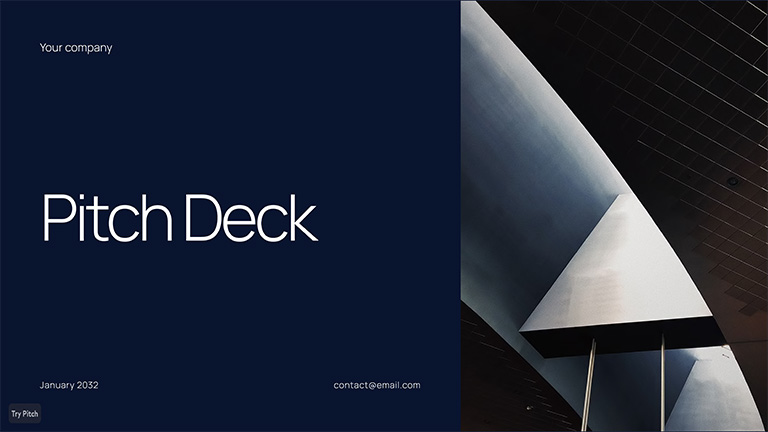
When brevity is key, this streamlined template helps you deliver your message in just 10 slides. Ideal for quick investor pitches or initial meetings.
Futuristic business project presentation template

High-tech visuals and a bold color scheme make this template perfect for showcasing innovative technologies and creative teams.
Brown and cream professional template

Sophisticated and refined, this template conveys trust and expertise – ideal for professional service firms, law offices, or luxury brands.
Business plan presentation example
Publuu’s online presentation example
MAKE YOUR OWN
This interactive flipbook is effective because it looks clear and credible. A good presentation:
- Has a professional, yet simple layout. The flipbook is neither chaotic nor overloaded. This organised appearance makes your company seem serious and competent.
- Demonstrates market analysis: Demonstrate that you have done your homework in order to build trust in your company!
- Relies on graphics and images to simplify the presentation. People get images and charts much faster than large blocks of text or numbers.
- Shows real customer problems: When you offer real solutions to problems, your company becomes more credible.
- Demonstrates experience and achievements: Talking is easy. By providing evidence of your progress, you demonstrate your ability to execute your plan.
- It shows the financial side of the deal. Transparent, detailed financial data demonstrates that you have considered your business model and are financially responsible.
What key elements a business plan presentation should include?
No matter what structure you choose, there are elements that simply cannot be missing. Here's what to look for:
1. Problem
First, make it clear what you are selling. Describe the real problem or need that your product addresses.
"There is a lack of graphics software on the market that works without a monthly subscription. Most tools work in the SaaS model – and some users would prefer to pay once and be done with it."
2. Your solution
Here, show what you do better, don't just tell. Briefly describe your product/service and highlight what makes it unique. You can add a screenshot, diagram, or short description.
"Our program has 95% of the features of the market leader – but you only pay once. This gives you an average of 80% savings per year compared to popular SaaS solutions."
3. Market
Prove that your product has an audience. Specify the size of your target market, indicate your segment, and provide evidence that there is demand (e.g., survey results, early orders, market tests).
"Our customers are mainly freelancers, small agencies, and branding specialists. According to report X, many freelancers use pirated copies because subscription costs are too high for them."
4. Business model
Explain where your money comes from. Talk about pricing, your sales model, and your customer acquisition channels.
"We sell the program on a one-time license basis. We also offer paid technical support and extensions. Customers can buy from us directly on our website or through our partners."
5. Competition and advantage
Address competition honestly – identify main competitors while highlighting your unique value proposition.
"The competition has powerful tools, but they are often too expensive or complicated. We combine professional features with simplicity and affordability – and that is our advantage."
6. Team
Introduce the people behind the project. Talk about key team members, their experience, and skills.
"Our team brings 20 combined years of graphics software development experience. We previously worked at leading companies and created award-winning software packages."
7. Finances
Provide key figures, but don't overdo it. Focus on the most important forecasts: revenue, profits, and cash flow for the next 3-5 years.
"We project acquiring 10,000 users in the first year, leading to $1M in revenue. Our detailed financial model is available in the full business plan."
8. Request and next steps
Be specific. Say what you expect from your audience (e.g., a specific investment amount, partnership, letter of intent) and what you want from them now.
"We are looking for $500,000 for product development and expansion into new markets. We want to sign an agreement with the first investors by the end of June. How about meeting next week to discuss the details?"
Business plan vs. business plan presentation

Many people confuse a business plan with a business plan presentation. But these are two different documents with different purposes.
A business plan is a comprehensive document describing your company's complete strategy. It serves as an operational guide and reference material for yourself, your management team, potential investors (for detailed analysis), and lenders.
This document includes:
- Extensive market research
- Detailed financial data (complete statements, assumptions)
- Operational plans
- Risk analysis
- Appendices with supporting data (team CVs, patents, etc.)
Typically 30–100+ pages, it contains substantial text, charts, and tables. Some organizations, particularly those associated with the EU, may require specific business plan structures. A business plan presentation (pitch deck) condenses your business plan into a short, visual format.
After creating your business plan, you use the presentation to generate interest, initiate discussions, and secure meetings or funding. It highlights only the most compelling points. It answers the question: "Why is this a great investment?" Investors often ask for a presentation first (to assess the potential) and only then request a full business plan.
Why is it important to present a business plan?
Decision-makers tend to form their opinions within the first few minutes. A presentation that is unclear, visually weak, or poorly executed can ruin your chances before you even get started!
Poor presentations lead to:
Lost attention – Audiences won't listen if you stumble early
Raised doubts – If you can't explain your business clearly, why should they trust you with money?
Confusion – Unclear presentations prevent understanding of your revenue model and value proposition
The consequences are severe: no funding, no partners, and potentially the end of your project. Every minute spent refining your presentation is an investment in the success of your entire venture.
Conclusion on business plan presentation
A great business idea deserves a great presentation. While the comprehensive business plan is crucial, the presentation is your public gateway to securing the finances!
By understanding your audience, crafting a good narrative, designing clean visuals, and practicing your delivery, you can turn your plan into a powerful tool that inspires confidence and drives action. Use Publuu to show your business plan to the world - and dazzle prospective partners!
You may be also interested in
What is a digital presentation and how to make it perfect
How create a sales report: types, templates and tips