
Interactive PDF

Bring your documents to life!

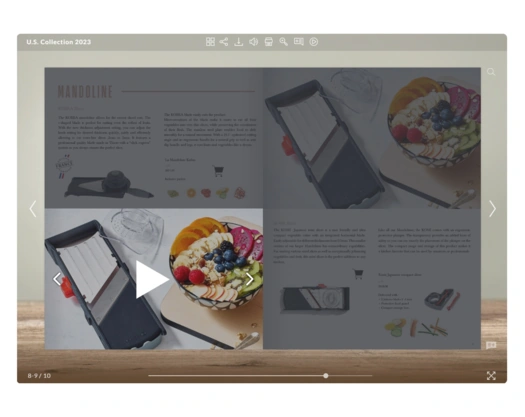
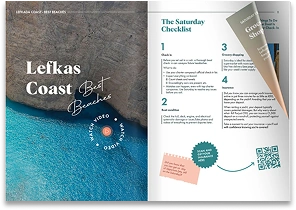
Make your PDF interactive and clickable by transforming it into flipbook format with Publuu. Add realistic page flip effect, videos, slideshows, GIFs, and links to create content that draws attention and keeps readers interested.

Create interactive PDF
interactive pdf with clickable elements

How to create an interactive PDF?

converting a pdf into a flipbook
1

Sign up for Publuu and upload your PDF to make it interactive. It will be turned into an online flipbook instantly.

adding interactive elements to a flipbook
2

Once your PDF is converted, you can add interactive elements such as links, photos, and audio. To make it even more engaging, embed videos, GIFs, or an interactive table of contents.

personalizing and branding a flipbook
3

Customize your flipbook with a clickable logo, add an animated background, and choose from many page-turning effects.

sharing and tracking a flipbook
4

When your interactive PDF is ready, share it however you like – via direct link, email, or social media. You can also embed it on your website and track how people use your document.

Interactive PDF examples

Check out the inspiring examples below to see how your interactive PDF might look:

Interactive PDF FAQ

  • What is an interactive PDF?

    expand answer button for interactive pdf faq

    An interactive PDF goes beyond static text and images - it includes clickable elements like links, buttons, videos, audio, GIFs, forms, and more. With Publuu, your PDF becomes a dynamic flipbook that engages readers.

  • Why choose an interactive PDF over a regular PDF?

    expand answer button for interactive pdf faq
    1. Increased engagement - interactive elements help keep readers hooked and boost time spent with your content.

    2. Branding and shareability - you can embed your logo, choose custom colors, personalize the background and share via links rather than large file downloads.

    3. Data collection - tracking links and lead capture forms allow real-time data gathering.

  • What can I include in an interactive PDF?

    expand answer button for interactive pdf faq

    Examples of interactive elements:

    1. hyperlinks & buttons;

    2. embedded media: videos, audio, GIFs;

    3. pop‑ups and slideshows for photo galleries;

    4. wishlists and product tags;

    5. 360° virtual tours for showcasing properties;

    6. forms and quizzes for feedback or surveys;

    7. customized interactive features, like chatbots.

  • How to export an interactive PDF?

    expand answer button for interactive pdf faq

    With Publuu, you don’t export interactive PDFs as files - instead, you share them online. Exporting and sending large interactive PDFs can be frustrating. These files are often too heavy for email, take a long time to download, and may not open correctly on mobile devices. Some email services even block large attachments, and recipients need extra storage space or special software to open them. Publuu offers a modern solution. When you upload your PDF to Publuu, it’s automatically turned into an interactive digital flipbook and hosted in the cloud. You get a simple, shareable link - no need to export, attach, or send big files. Just copy the link and share it via email, post it on social media, or embed it on your website.

    1. No more worrying about file size.

    2. No downloads or apps needed.

    3. Works on any device with internet access.

    It’s fast, easy, and works anywhere, giving your readers the best possible experience.