


Embed a video in a PDF
With Publuu, you can insert videos into your PDFs in lots of eye-catching ways. Whether it’s a product demo, tutorial, or promo clip, your videos will look great and keep your audience engaged - right inside your document.
Ways to embed a video in a PDF

Embed a video by uploading
Upload an MP4 video from your computer directly to your flipbook. Display it as a built-in player that plays automatically and feels like a natural part of your PDF.

Embedded video with a link
Embed a video on any page of your flipbook using a direct Vimeo or YouTube link. It’s a quick way to add video while keeping full control over your content, without uploading files to Publuu.

Embed a video using a hotspot
Add a small hotspot or a pulsating, clickable area to any page. When clicked, the video opens in a pop-up window, so your page layout stays uncluttered and readers never have to leave the interactive PDF.
Full page video display
Want to make your whole page come alive? No problem - just add a full-page video. You’ll instantly draw the reader's attention and present your message in a direct, engaging way.
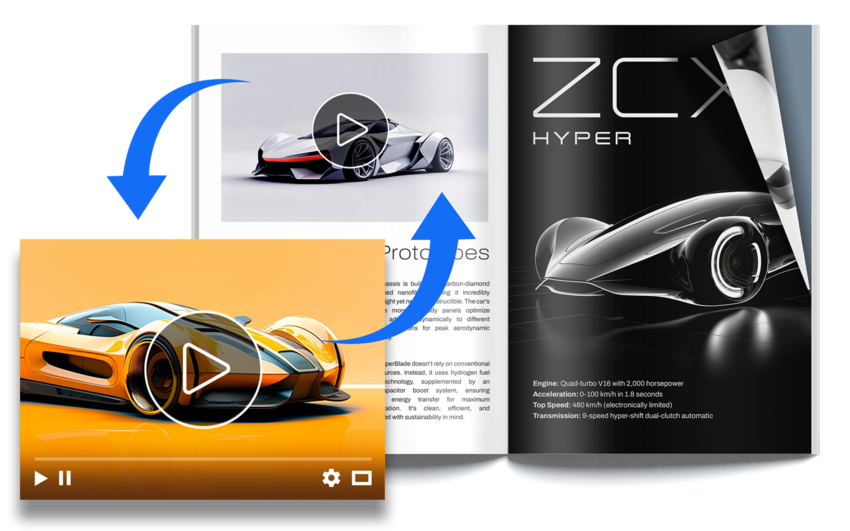
Embed a video under a custom graphic
You can turn almost any element in your PDF, a graphic, photo, GIF, or even text, into a clickable hotspot that plays a video on demand. It’s a great way to blend a video naturally into your design, using visuals that match your content.

How to embed a video in a PDF?
Start by uploading your PDF document to Publuu's platform. Publuu will automatically convert it into a flipbook.
Once your flipbook is ready and customized, use the Hotspot feature to place interactive elements, including videos.
Choose the page, paste a video link from YouTube or Vimeo, or upload an MP4 file. Then, decide whether it should appear as a built-in player or a clickable icon.
When you're done, share your PDF with the embedded video via a direct link, send it by email or add it to your website.
Add a video background to your PDF
With Publuu, you can also add a video background to make your PDF even more dynamic and eye-catching, giving it a modern, animated feel.
Easily replace your embedded video in a PDF
Updating an embedded video is easy - just replace the link or upload a new file whenever you need. There's no need to re-embed the video or redesign anything - your flipbook stays up to date in just a few steps!
Why use Publuu to add a video to your PDFs?
Publuu is more than just a way to add videos - it offers an all-in-one solution for creating interactive flipbooks. In just a few minutes, you can create, share, and track PDFs enriched with videos and other interactive elements. Choose the video format that fits your content best - from pop-ups and inline players to full-page videos.
Engage your audience - grab attention and keep readers interested for longer.
Explain better - perfect for showing products, tutorials, or making complex topics easier to understand.
Look professional - present your content with modern video embeds that match your layout.
Simple to add - just paste a YouTube or Vimeo link, no technical skills needed.
Works on any device - embedded videos play smoothly across desktop and mobile.